Skip to content

Floor lineHeightXSmall at 11 so small device font scales don't clip descenders and link underlines - #100448

Merged
AndrewGable merged 1 commit into
mainfrom
claude-fixXSmallLineHeightAtSmallFontScale
Sep 7, 2026
Merged

Floor lineHeightXSmall at 11 so small device font scales don't clip descenders and link underlines#100448
AndrewGable merged 1 commit into
mainfrom
claude-fixXSmallLineHeightAtSmallFontScale

Conversation

@MelvinBot

@MelvinBot MelvinBot commented Sep 6, 2026

Copy link
Copy Markdown
Contributor

Explanation of Change

fontSizeExtraSmall is a fixed 9, but lineHeightXSmall was getValueUsingPixelRatio(11, 17), which scales down with the device font scale. At Android's minimum font size setting (PixelRatio.getFontScale() ≈ 0.8–0.85) that produces fontSize: 9 with a line height of ~8.8–9.4 — below Expensify Neue's natural line height (~1.18em, so ~10.6 at size 9). Android's CustomLineHeightSpan then clamps the descent, which clips everything that renders below the baseline: the descenders (y, g) and the underline on links. iOS and web don't clamp glyphs this way, which is why the report is Android-only.

This affects styles.textExtraSmallSupporting, which muted-text-xs maps to in BaseHTMLEngineProvider, and which AnchorRenderer uses for links inside it — i.e. the sign-in "By logging in, you agree to the Terms of Service and Privacy." string.

The fix floors the value at 11, so the line height can never drop below the font's natural line height:

lineHeightXSmall: Math.max(getValueUsingPixelRatio(11, 17), 11),

This is a no-op at font scale ≥ 1 (the default), so there is no behavior change for users who haven't shrunk their device font size.

AI tests run locally
  • npm run lint-changed — pass
  • npm run typecheck — pass
  • npm run spell-changed — pass
  • npm run gh-actions-unused-styles — pass (no unused styles)
  • npm run test -- tests/unit/TextVariantTest.tsx tests/unit/ButtonStyleUtilsTest.ts tests/unit/ReceiptUtilsTest.ts tests/ui/components/MoneyRequestReceiptViewTest.tsx — 46 tests pass
  • The full Jest suite and npm run prettier were not run: the repo has no prettier npm script, and formatting on the changed file is unaffected (indentation and line width match the surrounding lines).

Fixed Issues

$ #97409
PROPOSAL: #97409 (comment)

Precondition:

Device is Android 16.
Device font size is minimum.

Tests

  1. Launch Expensify app.
  2. Log out if logged in.
  3. Click Enable high contrast.
  4. Enter new email > Next.
  5. Verify that Terms of Service and Privacy link will be underlined in high contrast mode.
  • Verify that no errors appear in the JS console

Offline tests

Same as Tests

QA Steps

Same as Tests

  • Verify that no errors appear in the JS console

PR Author Checklist

  • I linked the correct issue in the ### Fixed Issues section above
  • I wrote clear testing steps that cover the changes made in this PR
    • I added steps for local testing in the Tests section
    • I added steps for the expected offline behavior in the Offline steps section
    • I added steps for Staging and/or Production testing in the QA steps section
    • I added steps to cover failure scenarios (i.e. verify an input displays the correct error message if the entered data is not correct)
    • I turned off my network connection and tested it while offline to ensure it matches the expected behavior (i.e. verify the default avatar icon is displayed if app is offline)
    • I tested this PR with a High Traffic account against the staging or production API to ensure there are no regressions (e.g. long loading states that impact usability).
  • I included screenshots or videos for tests on all platforms
  • I ran the tests on all platforms & verified they passed on:
    • Android: Native
    • Android: mWeb Chrome
    • iOS: Native
    • iOS: mWeb Safari
    • MacOS: Chrome / Safari
  • I verified there are no console errors (if there's a console error not related to the PR, report it or open an issue for it to be fixed)
  • I followed proper code patterns (see Reviewing the code)
    • I verified that any callback methods that were added or modified are named for what the method does and never what callback they handle (i.e. toggleReport and not onIconClick)
    • I verified that comments were added to code that is not self explanatory
    • I verified that any new or modified comments were clear, correct English, and explained "why" the code was doing something instead of only explaining "what" the code was doing.
    • I verified any copy / text that was added to the app is grammatically correct in English. It adheres to proper capitalization guidelines (note: only the first word of header/labels should be capitalized), and is either coming verbatim from figma or has been approved by marketing (in order to get marketing approval, ask the Bug Zero team member to add the Waiting for copy label to the issue)
  • If a new code pattern is added I verified it was agreed to be used by multiple Expensify engineers
  • I followed the guidelines as stated in the Review Guidelines
  • I tested other components that can be impacted by my changes (i.e. if the PR modifies a shared library or component like Avatar, I verified the components using Avatar are working as expected)
  • If any new file was added I verified that:
    • The file has a description of what it does and/or why is needed at the top of the file if the code is not self explanatory
  • If a new CSS style is added I verified that:
    • A similar style doesn't already exist
    • The style can't be created with an existing StyleUtils function (i.e. StyleUtils.getBackgroundAndBorderStyle(theme.componentBG))
  • If new assets were added or existing ones were modified, I verified that:
    • The assets are optimized and compressed (for SVG files, run npm run compress-svg)
    • The assets load correctly across all supported platforms.
  • If the PR modifies code that runs when editing or sending messages, I tested and verified there is no unexpected behavior for all supported markdown - URLs, single line code, code blocks, quotes, headings, bold, strikethrough, and italic.
  • If the PR modifies a generic component, I tested and verified that those changes do not break usages of that component in the rest of the App (i.e. if a shared library or component like Avatar is modified, I verified that Avatar is working as expected in all cases)
  • If the PR modifies a component related to any of the existing Storybook stories, I tested and verified all stories for that component are still working as expected.
  • If the PR modifies a component or page that can be accessed by a direct deeplink, I verified that the code functions as expected when the deeplink is used - from a logged in and logged out account.
  • If the PR modifies the UI (e.g. new buttons, new UI components, changing the padding/spacing/sizing, moving components, etc) or modifies the form input styles:
    • I verified that all the inputs inside a form are aligned with each other.
    • I added Design label and/or tagged @Expensify/design so the design team can review the changes.
  • I added unit tests for any new feature or bug fix in this PR to help automatically prevent regressions in this user flow.
  • If the main branch was merged into this PR after a review, I tested again and verified the outcome was still expected according to the Test steps.

…rs and underlines

Co-authored-by: mkhutornyi <mkhutornyi@users.noreply.github.com>
@MelvinBot

MelvinBot commented Sep 6, 2026

Copy link
Copy Markdown
Contributor Author

🤖 Android test steps verification results: ✅ pass

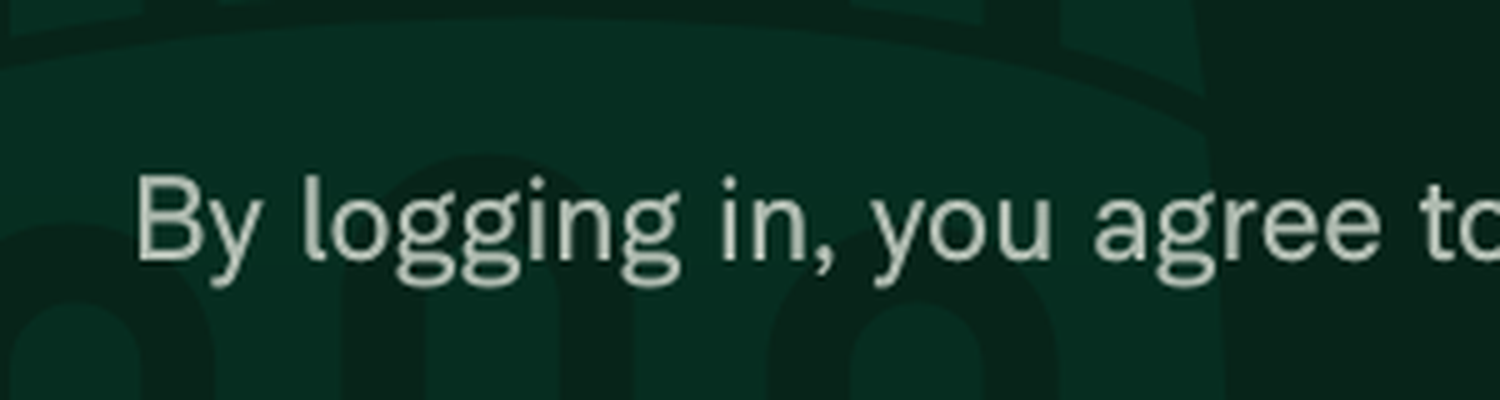
On standalone Android NewDot with font_scale=0.85 (minimum) and high contrast enabled, the sign-in fine-print line renders the Terms of Service and Privacy links fully underlined and shows no clipped descenders (the g in "logging" and the y in "Privacy" render completely), confirming the lineHeightXSmall floor-at-11 fix.

Zoomed 'Privacy' link showing full y descender and complete underline

Step Status
Set device font scale to minimum (0.85) via adb settingsadb shell settings get system font_scale read back 0.85 after adb shell settings put system font_scale 0.85; Home screen screenshot taken with the scale in effect.
Home screen with font_scale 0.85 applied
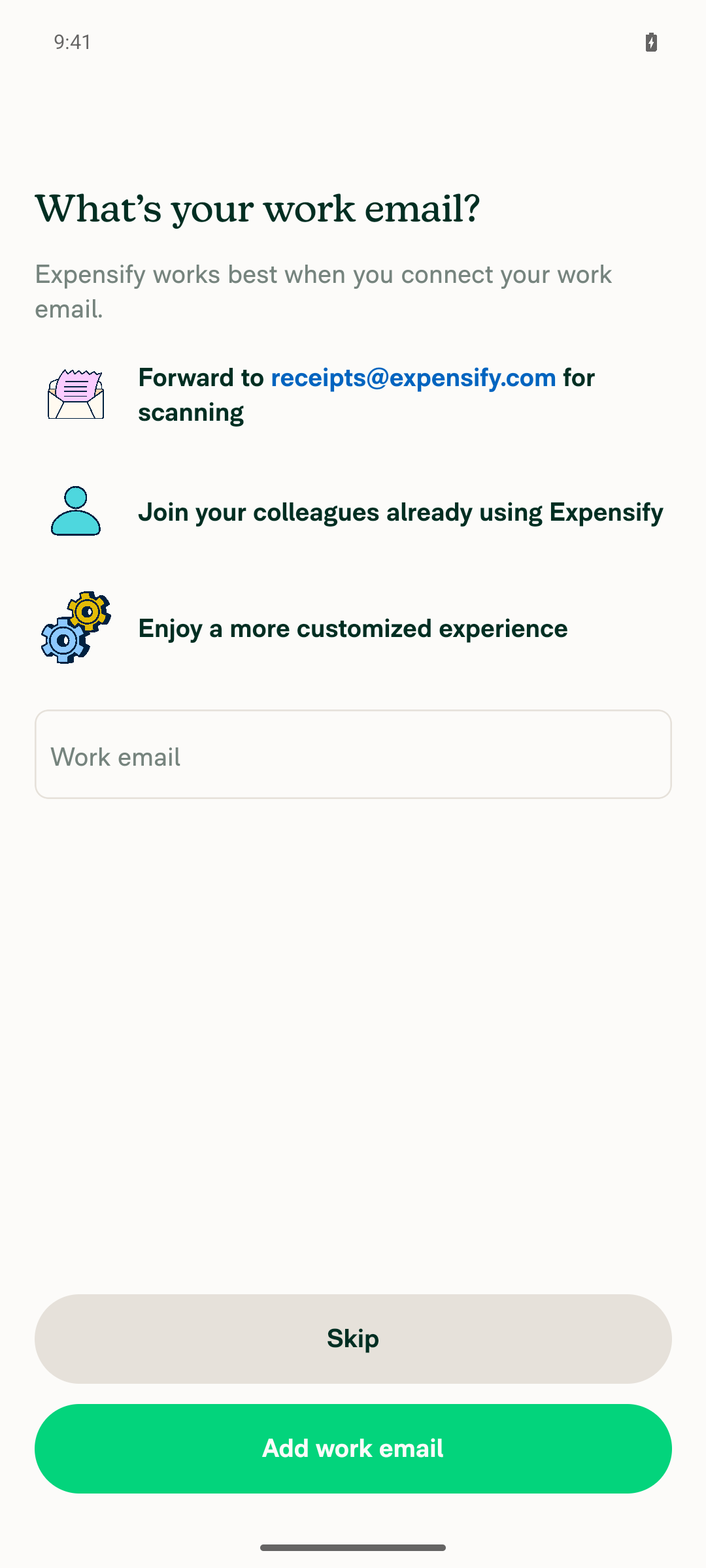
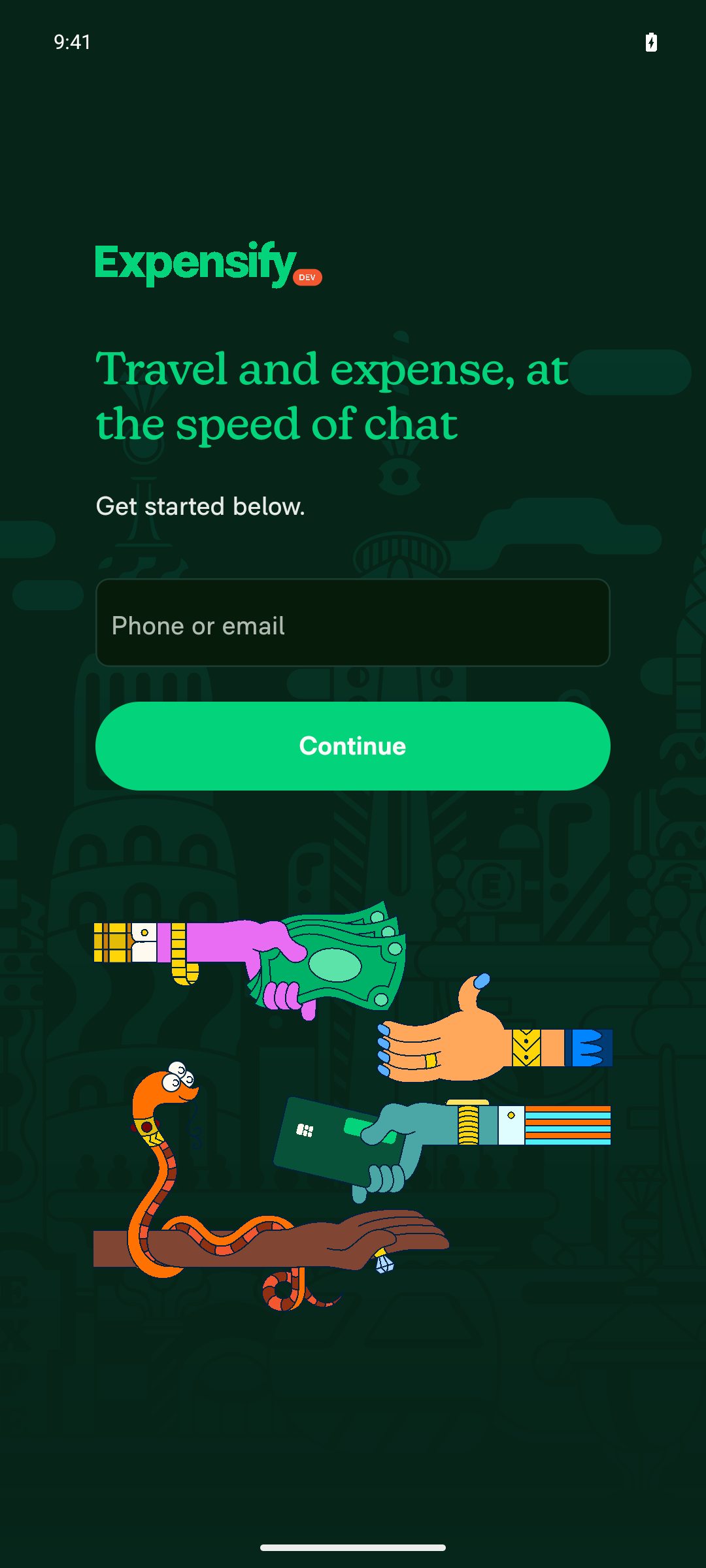
Launch app and log out to reach the sign-in screenNavigated Account settings > Sign out; app returned to the sign-in screen showing "Get started below. Phone or email / Continue".
Sign-in screen after logging out
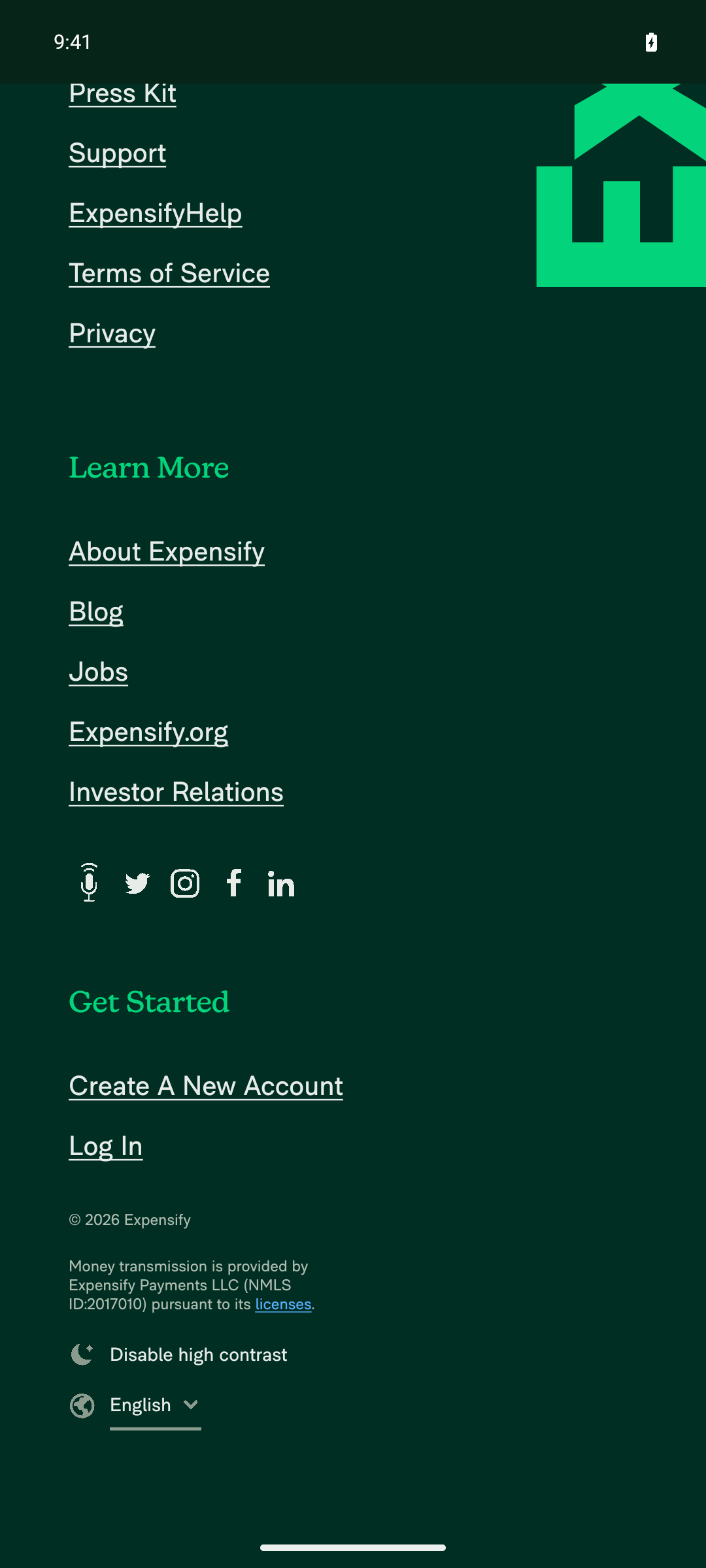
Tap "Enable high contrast" on the sign-in screenButton label toggled from "Enable high contrast" to "Disable high contrast" after tap, and the UI switched to a dark high-contrast theme.
High contrast mode enabled on sign-in screen
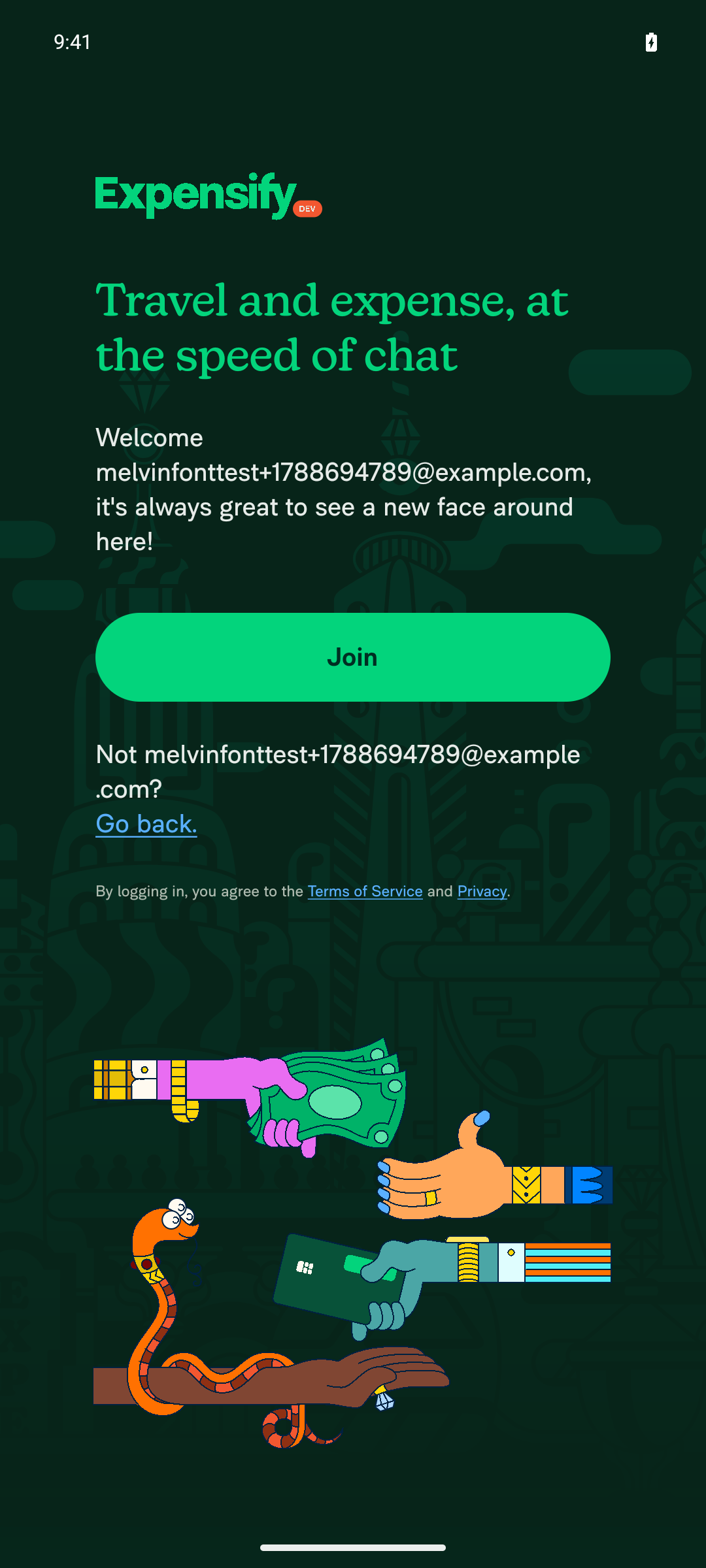
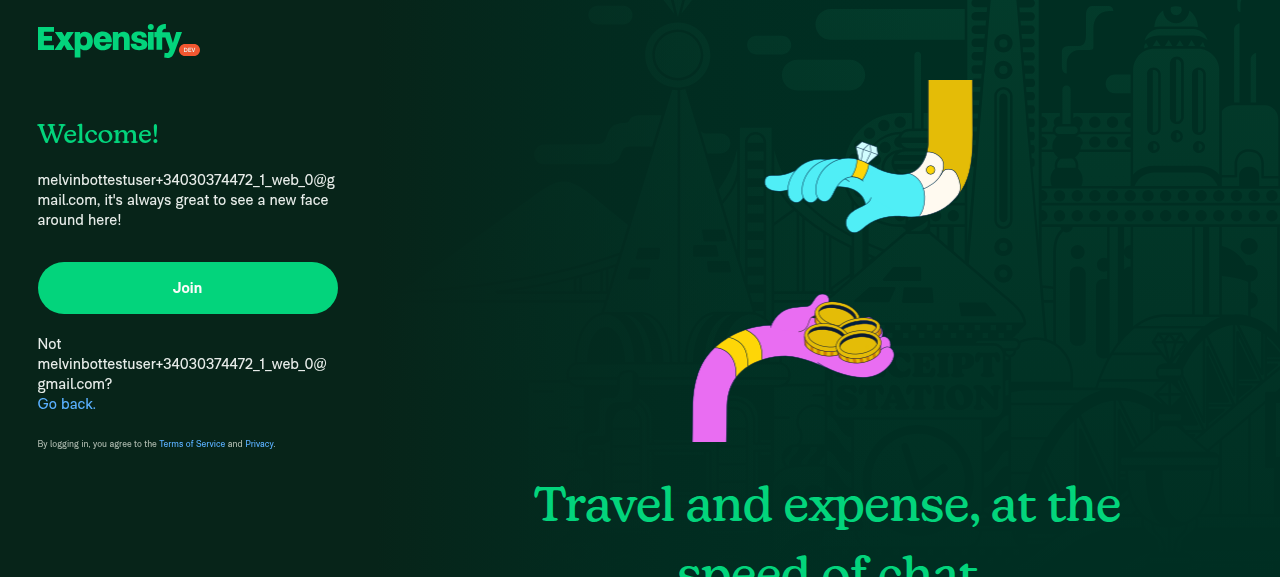
Enter a new email and tap Next/ContinueFilled a freshly generated email and tapped Continue; app advanced to the "Welcome … / Join" screen with the fine-print line visible.
Welcome/Join screen with fine print after entering new email
"Terms of Service" and "Privacy" links underlined, underline fully visible/not clippedZoomed crop of the fine-print line shows both "Terms of Service" and "Privacy" with a complete, unclipped underline running the full width of each link.
Zoomed fine-print line showing underlined ToS and Privacy links
No descender clipping in the fine-print line (e.g. "logging", "Privacy")Zoomed crops show the g descenders in "logging" fully rendered, and the y descender in "Privacy" rendering completely below the underline with no truncation.
Zoomed 'By logging in, you agree to' showing full g/y descenders
Zoomed 'Privacy' link showing full y descender and complete underline

No JS console errors were observed. Font scale was restored to 1.0 after the run. Reaching Home required completing a one-time onboarding flow for the freshly-provisioned test account — that was navigation only, not part of the test.


view run · view recording

@MelvinBot

MelvinBot commented Sep 6, 2026

Copy link
Copy Markdown
Contributor Author

🤖 Web test steps verification results: ⚠️ partial

On web the sign-in fine print renders intact — no clipped descenders — but the underline assertion could not be exercised, because the high-contrast toggle would not flip on the web session and underlines are high-contrast-only by design. Note the documented steps are Android-specific (minimum device font size), and this fix is a no-op at font scale 1, which is always the case on web, so this run is only a regression check.

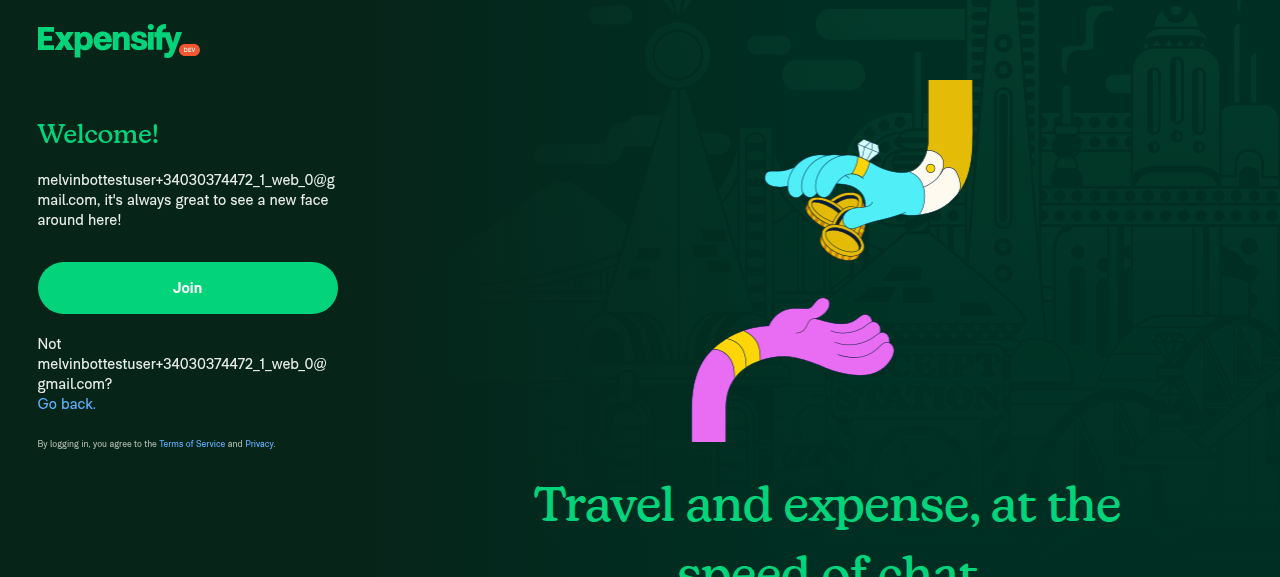
Screen after attempted high-contrast toggle, visually unchanged

Step Status
Set device font size to minimumNot applicable on web — PixelRatio.getFontScale() is always 1 in the browser, so getValueUsingPixelRatio never scales below the new floor. The changed line is a no-op here.
⚠️
Log out to reach the sign-in screen, then enter a new email and continueNot driven. Sign-out is a forbidden action for the pinned web session — clicking it navigates the window away and drops the session unrecoverably. The prestarted session was already sitting on the "Welcome! … Join" screen, which is the screen carrying the fine-print line under test, so the remaining assertions ran against it directly.
Sign-in fine print rendered in full on web, default theme
⚠️
Click "Enable high contrast"The button is present in the accessibility tree on this screen, but every click attempt failed to toggle it — ref clicks returned "Ref not found or has no bounds", and a label-selector click left the label as "Enable high contrast" with a pixel-identical screenshot. No navigation occurred; the control simply never flipped.
Screen after attempted high-contrast toggle, visually unchanged
⚠️
"Terms of Service" and "Privacy" links are underlined, underline not clippedNot verifiable — the links are correctly NOT underlined in the default theme. Underlining is gated on theme.isHighContrast in both the link style and the anchor renderer, so with high contrast off there is nothing to check. A pixel scan beneath both links confirmed zero underline ink, which is the expected default-theme rendering, not a regression.
Zoomed 'Terms of Service' link in default theme
⚠️
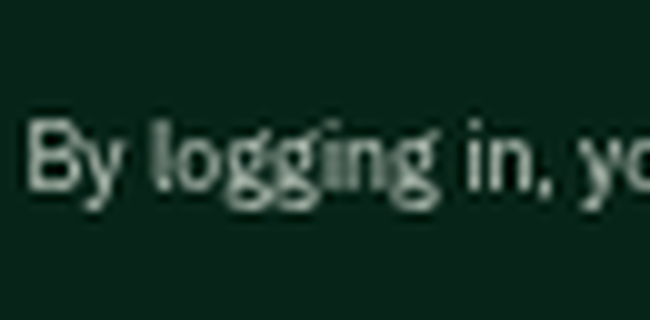
No clipped descenders in the fine-print line ("logging", "Privacy")Zoomed crops show the g descenders in "logging" and the y in "Privacy" rendering in full. A row-by-row ink-density scan tapers gradually to zero at the descender rows rather than cutting off abruptly, confirming no clipping.
Zoomed 'By logging in,' showing full g descenders
Zoomed 'Privacy' link showing full y descender
No JS console errorsUnverifiable with the available tooling — agent-device logs returns UNSUPPORTED_OPERATION on the web platform. No error toasts, banners, or crash screens appeared in any capture, but that is not equivalent to reading the console.
⚠️

Underline gating referenced above: src/styles/index.ts:154 and src/components/HTMLEngineProvider/HTMLRenderers/AnchorRenderer.tsx:59.

The Android run — the platform this bug actually reproduces on — passed all six steps end to end, including the high-contrast underline check at minimum font scale: see the Android results.


view run · no recording available

@mkhutornyi

Copy link
Copy Markdown
Contributor
Details

Explanation of Change

Fixed Issues

$ #97409
PROPOSAL: #97409 (comment)

Precondition:

Device is Android 16.
Device font size is minimum.

Tests

  1. Launch Expensify app.
  2. Log out if logged in.
  3. Click Enable high contrast.
  4. Enter new email > Next.
  5. Verify that Terms of Service and Privacy link will be underlined in high contrast mode.
  • Verify that no errors appear in the JS console

Offline tests

Same as Tests

QA Steps

Same as Tests

  • Verify that no errors appear in the JS console

PR Author Checklist

  • I linked the correct issue in the ### Fixed Issues section above
  • I wrote clear testing steps that cover the changes made in this PR
    • I added steps for local testing in the Tests section
    • I added steps for the expected offline behavior in the Offline steps section
    • I added steps for Staging and/or Production testing in the QA steps section
    • I added steps to cover failure scenarios (i.e. verify an input displays the correct error message if the entered data is not correct)
    • I turned off my network connection and tested it while offline to ensure it matches the expected behavior (i.e. verify the default avatar icon is displayed if app is offline)
    • I tested this PR with a High Traffic account against the staging or production API to ensure there are no regressions (e.g. long loading states that impact usability).
  • I included screenshots or videos for tests on all platforms
  • I ran the tests on all platforms & verified they passed on:
    • Android: Native
    • Android: mWeb Chrome
    • iOS: Native
    • iOS: mWeb Safari
    • MacOS: Chrome / Safari
  • I verified there are no console errors (if there's a console error not related to the PR, report it or open an issue for it to be fixed)
  • I followed proper code patterns (see Reviewing the code)
    • I verified that any callback methods that were added or modified are named for what the method does and never what callback they handle (i.e. toggleReport and not onIconClick)
    • I verified that comments were added to code that is not self explanatory
    • I verified that any new or modified comments were clear, correct English, and explained "why" the code was doing something instead of only explaining "what" the code was doing.
    • I verified any copy / text that was added to the app is grammatically correct in English. It adheres to proper capitalization guidelines (note: only the first word of header/labels should be capitalized), and is either coming verbatim from figma or has been approved by marketing (in order to get marketing approval, ask the Bug Zero team member to add the Waiting for copy label to the issue)
  • If a new code pattern is added I verified it was agreed to be used by multiple Expensify engineers
  • I followed the guidelines as stated in the Review Guidelines
  • I tested other components that can be impacted by my changes (i.e. if the PR modifies a shared library or component like Avatar, I verified the components using Avatar are working as expected)
  • If any new file was added I verified that:
    • The file has a description of what it does and/or why is needed at the top of the file if the code is not self explanatory
  • If a new CSS style is added I verified that:
    • A similar style doesn't already exist
    • The style can't be created with an existing StyleUtils function (i.e. StyleUtils.getBackgroundAndBorderStyle(theme.componentBG))
  • If new assets were added or existing ones were modified, I verified that:
    • The assets are optimized and compressed (for SVG files, run npm run compress-svg)
    • The assets load correctly across all supported platforms.
  • If the PR modifies code that runs when editing or sending messages, I tested and verified there is no unexpected behavior for all supported markdown - URLs, single line code, code blocks, quotes, headings, bold, strikethrough, and italic.
  • If the PR modifies a generic component, I tested and verified that those changes do not break usages of that component in the rest of the App (i.e. if a shared library or component like Avatar is modified, I verified that Avatar is working as expected in all cases)
  • If the PR modifies a component related to any of the existing Storybook stories, I tested and verified all stories for that component are still working as expected.
  • If the PR modifies a component or page that can be accessed by a direct deeplink, I verified that the code functions as expected when the deeplink is used - from a logged in and logged out account.
  • If the PR modifies the UI (e.g. new buttons, new UI components, changing the padding/spacing/sizing, moving components, etc) or modifies the form input styles:
    • I verified that all the inputs inside a form are aligned with each other.
    • I added Design label and/or tagged @Expensify/design so the design team can review the changes.
  • I added unit tests for any new feature or bug fix in this PR to help automatically prevent regressions in this user flow.
  • If the main branch was merged into this PR after a review, I tested again and verified the outcome was still expected according to the Test steps.

@MelvinBot please set the PR body to the content in the details section above

@MelvinBot

MelvinBot commented Sep 6, 2026

Copy link
Copy Markdown
Contributor Author

🤖 PR body updated to the content you provided, verbatim.

Two things dropped out with the replacement, in case they weren't intended:

  • Explanation of Change is now empty — the previous body explained why lineHeightXSmall clipped descenders at small font scales.
  • The Screenshots/Videos section is gone, including the Android and MacOS evidence from the earlier test runs.

Say the word if you want either restored.


view run · view recording

@mkhutornyi

Copy link
Copy Markdown
Contributor

@MelvinBot restore your previous Explanation of Change and mark as reay for review

@MelvinBot
MelvinBot marked this pull request as ready for review September 6, 2026 15:42
@MelvinBot
MelvinBot requested review from a team as code owners September 6, 2026 15:42
@melvin-bot

melvin-bot Bot commented Sep 6, 2026

Copy link
Copy Markdown

@Pujan92 @mkhutornyi One of you needs to copy/paste the Reviewer Checklist from here into a new comment on this PR and complete it. If you have the K2 extension, you can simply click: [this button]

@melvin-bot
melvin-bot Bot removed request for a team September 6, 2026 15:42
@MelvinBot

MelvinBot commented Sep 6, 2026

Copy link
Copy Markdown
Contributor Author

🤖 Done — the Explanation of Change is restored and the PR is out of draft, marked ready for review.

Everything else in the body you supplied is untouched. The Screenshots/Videos section is still absent (you didn't ask for it back) — say the word if you want the Android and MacOS evidence restored too.


view run · view recording

@mkhutornyi

mkhutornyi commented Sep 6, 2026

Copy link
Copy Markdown
Contributor

Reviewer Checklist

  • I have verified the author checklist is complete (all boxes are checked off).
  • I verified the correct issue is linked in the ### Fixed Issues section above
  • I verified testing steps are clear and they cover the changes made in this PR
    • I verified the steps for local testing are in the Tests section
    • I verified the steps for Staging and/or Production testing are in the QA steps section
    • I verified the steps cover any possible failure scenarios (i.e. verify an input displays the correct error message if the entered data is not correct)
    • I turned off my network connection and tested it while offline to ensure it matches the expected behavior (i.e. verify the default avatar icon is displayed if app is offline)
  • I checked that screenshots or videos are included for tests on all platforms
  • I included screenshots or videos for tests on all platforms
  • I verified that the composer does not automatically focus or open the keyboard on mobile unless explicitly intended. This includes checking that returning the app from the background does not unexpectedly open the keyboard.
  • I verified tests pass on all platforms & I tested again on:
    • Android: HybridApp
    • Android: mWeb Chrome
    • iOS: HybridApp
    • iOS: mWeb Safari
    • MacOS: Chrome / Safari
  • If there are any errors in the console that are unrelated to this PR, I either fixed them (preferred) or linked to where I reported them in Slack
  • I verified proper code patterns were followed (see Reviewing the code)
    • I verified that any callback methods that were added or modified are named for what the method does and never what callback they handle (i.e. toggleReport and not onIconClick).
    • I verified that comments were added to code that is not self explanatory
    • I verified that any new or modified comments were clear, correct English, and explained "why" the code was doing something instead of only explaining "what" the code was doing.
    • I verified any copy / text that was added to the app is grammatically correct in English. It adheres to proper capitalization guidelines (note: only the first word of header/labels should be capitalized), and is either coming verbatim from figma or has been approved by marketing (in order to get marketing approval, ask the Bug Zero team member to add the Waiting for copy label to the issue)
  • If a new code pattern is added I verified it was agreed to be used by multiple Expensify engineers
  • I verified that this PR follows the guidelines as stated in the Review Guidelines
  • I verified other components that can be impacted by these changes have been tested, and I retested again (i.e. if the PR modifies a shared library or component like Avatar, I verified the components using Avatar have been tested & I retested again)
  • If a new component is created I verified that:
    • A similar component doesn't exist in the codebase
    • All props are defined accurately and each prop has a /** comment above it */
    • The file is named correctly
    • The component has a clear name that is non-ambiguous and the purpose of the component can be inferred from the name alone
    • The only data being stored in the state is data necessary for rendering and nothing else
    • For Class Components, any internal methods passed to components event handlers are bound to this properly so there are no scoping issues (i.e. for onClick={this.submit} the method this.submit should be bound to this in the constructor)
    • Any internal methods bound to this are necessary to be bound (i.e. avoid this.submit = this.submit.bind(this); if this.submit is never passed to a component event handler like onClick)
    • All JSX used for rendering exists in the render method
    • The component has the minimum amount of code necessary for its purpose, and it is broken down into smaller components in order to separate concerns and functions
  • If any new file was added I verified that:
    • The file has a description of what it does and/or why is needed at the top of the file if the code is not self explanatory
  • If a new CSS style is added I verified that:
    • A similar style doesn't already exist
    • The style can't be created with an existing StyleUtils function (i.e. StyleUtils.getBackgroundAndBorderStyle(theme.componentBG)
  • If the PR modifies code that runs when editing or sending messages, I tested and verified there is no unexpected behavior for all supported markdown - URLs, single line code, code blocks, quotes, headings, bold, strikethrough, and italic.
  • If the PR modifies a generic component, I tested and verified that those changes do not break usages of that component in the rest of the App (i.e. if a shared library or component like Avatar is modified, I verified that Avatar is working as expected in all cases)
  • If the PR modifies a component related to any of the existing Storybook stories, I tested and verified all stories for that component are still working as expected.
  • If the PR modifies a component or page that can be accessed by a direct deeplink, I verified that the code functions as expected when the deeplink is used - from a logged in and logged out account.
  • If the PR modifies the UI (e.g. new buttons, new UI components, changing the padding/spacing/sizing, moving components, etc) or modifies the form input styles:
    • I verified that all the inputs inside a form are aligned with each other.
    • I added Design label and/or tagged @Expensify/design so the design team can review the changes.
  • For any bug fix or new feature in this PR, I verified that sufficient unit tests are included to prevent regressions in this flow.
  • If the main branch was merged into this PR after a review, I tested again and verified the outcome was still expected according to the Test steps.
  • I have checked off every checkbox in the PR reviewer checklist, including those that don't apply to this PR.

Screenshots/Videos

Android: HybridApp
android.mov
Android: mWeb Chrome
iOS: HybridApp
ios.mov
iOS: mWeb Safari
MacOS: Chrome / Safari
web.mov

@melvin-bot

melvin-bot Bot commented Sep 6, 2026

Copy link
Copy Markdown

We did not find an internal engineer to review this PR, trying to assign a random engineer to #97409 as well as to this PR... Please reach out for help on Slack if no one gets assigned!

@melvin-bot
melvin-bot Bot requested a review from AndrewGable September 6, 2026 15:47
@AndrewGable
AndrewGable merged commit 8d8382c into main Sep 7, 2026
50 of 52 checks passed
@AndrewGable
AndrewGable deleted the claude-fixXSmallLineHeightAtSmallFontScale branch September 7, 2026 14:51
@github-actions

github-actions Bot commented Sep 7, 2026

Copy link
Copy Markdown
Contributor

🚧 AndrewGable has triggered a test Expensify/App build. You can view the workflow run here.

@OSBotify

OSBotify commented Sep 7, 2026

Copy link
Copy Markdown
Contributor

✋ This PR was not deployed to staging yet because QA is ongoing. It will be automatically deployed to staging after the next production release.

Sign up for free to join this conversation on GitHub. Already have an account? Sign in to comment

Labels

Melvin-Test-Android Melvin-Test-Web Triggers Melvin to run the testing steps of the PR on web

Projects

None yet

Development

Successfully merging this pull request may close these issues.

4 participants