Skip to content

Gate settlement frequency and currency conversion fees selection behind a Save button (a11y On Input, PR 10) - #99235

Open
MelvinBot wants to merge 1 commit into
mainfrom
claude-a11y-settlement-currency-fees-save
Open

Gate settlement frequency and currency conversion fees selection behind a Save button (a11y On Input, PR 10)#99235
MelvinBot wants to merge 1 commit into
mainfrom
claude-a11y-settlement-currency-fees-save

Conversation

@MelvinBot

Copy link
Copy Markdown
Contributor

Explanation of Change

This addresses a WCAG 3.2.2 "On Input" accessibility violation, part of the batched plan in issue #74834 (PR 10). Two single-select settings pages committed the change (and, in one case, navigated away) the instant a row was tapped, so the layout/context changed without the user explicitly confirming — disorienting for screen-reader and low-vision users.

Both pages now stage the selection in local state and only persist it when the user presses the Save button (via confirmButtonOptions on SelectionList), matching the pattern already shipped in PRs 3–8:

  • WorkspaceSettlementFrequencyPage — Daily/Monthly settlement frequency is staged and written on Save (no navigation, same as before).
  • WorkspaceWorkflowsCurrencyConversionFeesPage — Company-pays/Employee-pays preference is staged and written, then navigates back, on Save.

The Save button is disabled until the staged selection differs from the persisted value, so a no-op selection changes nothing.

🤖 Generated by MelvinBot. Checks run locally: lint-changed ✅, typecheck-tsgo ✅. React Compiler compliance check couldn't run in this environment (base-ref resolution); no manual memoization was added, so CI will validate. Full npm test / storybook smoke deferred to CI.

Fixed Issues

$ #74834
PROPOSAL: #74834 (comment)

Tests

  • Verify that no errors appear in the JS console

Offline tests

QA Steps

// TODO: These must be filled out, or the issue title must include "[No QA]."

  • Verify that no errors appear in the JS console

PR Author Checklist

  • I linked the correct issue in the ### Fixed Issues section above
  • I wrote clear testing steps that cover the changes made in this PR
    • I added steps for local testing in the Tests section
    • I added steps for the expected offline behavior in the Offline steps section
    • I added steps for Staging and/or Production testing in the QA steps section
    • I added steps to cover failure scenarios (i.e. verify an input displays the correct error message if the entered data is not correct)
    • I turned off my network connection and tested it while offline to ensure it matches the expected behavior (i.e. verify the default avatar icon is displayed if app is offline)
    • I tested this PR with a High Traffic account against the staging or production API to ensure there are no regressions (e.g. long loading states that impact usability).
  • I included screenshots or videos for tests on all platforms
  • I ran the tests on all platforms & verified they passed on:
    • Android: Native
    • Android: mWeb Chrome
    • iOS: Native
    • iOS: mWeb Safari
    • MacOS: Chrome / Safari
  • I verified there are no console errors (if there's a console error not related to the PR, report it or open an issue for it to be fixed)
  • I followed proper code patterns (see Reviewing the code)
    • I verified that comments were added to code that is not self explanatory
    • I verified that any new or modified comments were clear, correct English, and explained "why" the code was doing something instead of only explaining "what" the code was doing.
    • I verified any copy / text that was added to the app is grammatically correct in English. It adheres to proper capitalization guidelines (note: only the first word of header/labels should be capitalized), and is either coming verbatim from figma or has been approved by marketing (in order to get marketing approval, ask the Bug Zero team member to add the Waiting for copy label to the issue)
  • If a new code pattern is added I verified it was agreed to be used by multiple Expensify engineers
  • I followed the guidelines as stated in the Review Guidelines
  • I tested other components that can be impacted by my changes (i.e. if the PR modifies a shared library or component like Avatar, I verified the components using Avatar are working as expected)
  • If a new CSS style is added I verified that:
    • A similar style doesn't already exist
    • The style can't be created with an existing StyleUtils function (i.e. StyleUtils.getBackgroundAndBorderStyle(theme.componentBG))
  • If new assets were added or existing ones were modified, I verified that:
    • The assets are optimized and compressed (for SVG files, run npm run compress-svg)
    • The assets load correctly across all supported platforms.
  • If the PR modifies code that runs when editing or sending messages, I tested and verified there is no unexpected behavior for all supported markdown - URLs, single line code, code blocks, quotes, headings, bold, strikethrough, and italic.
  • If the PR modifies a generic component, I tested and verified that those changes do not break usages of that component in the rest of the App (i.e. if a shared library or component like Avatar is modified, I verified that Avatar is working as expected in all cases)
  • If the PR modifies a component related to any of the existing Storybook stories, I tested and verified all stories for that component are still working as expected.
  • If the PR modifies a component or page that can be accessed by a direct deeplink, I verified that the code functions as expected when the deeplink is used - from a logged in and logged out account.
  • If the PR modifies the UI (e.g. new buttons, new UI components, changing the padding/spacing/sizing, moving components, etc) or modifies the form input styles:
    • I verified that all the inputs inside a form are aligned with each other.
    • I added Design label and/or tagged @Expensify/design so the design team can review the changes.
  • I added unit tests for any new feature or bug fix in this PR to help automatically prevent regressions in this user flow.
  • If the main branch was merged into this PR after a review, I tested again and verified the outcome was still expected according to the Test steps.

Screenshots/Videos

Android: Native
Android: mWeb Chrome
iOS: Native
iOS: mWeb Safari
MacOS: Chrome / Safari

…nd a Save button (a11y On Input, PR 10)

Co-authored-by: truph01 <truph01@users.noreply.github.com>
@MelvinBot
MelvinBot requested a review from a team August 22, 2026 03:52
@melvin-bot melvin-bot Bot added Melvin-Test-Android Melvin-Test-Web Triggers Melvin to run the testing steps of the PR on web labels Aug 22, 2026
@codecov

codecov Bot commented Aug 22, 2026

Copy link
Copy Markdown

Codecov Report

✅ Changes either increased or maintained existing code coverage, great job!

Files with missing lines Coverage Δ
...expensifyCard/WorkspaceSettlementFrequencyPage.tsx 0.00% <0.00%> (ø)
...s/WorkspaceWorkflowsCurrencyConversionFeesPage.tsx 0.00% <0.00%> (ø)
... and 7 files with indirect coverage changes

@MelvinBot

Copy link
Copy Markdown
Contributor Author

🤖 I ran the testing steps on the Android emulator, but I could not execute either functional test case at runtime — both target pages are unreachable on the Melvin Android test account, so I have no screenshots/recording proving the actual Save-button flow. Here's exactly where each one blocked:

Test Case 1 — Settlement frequency (Workspace → Expensify Card → Settings → Settlement frequency)
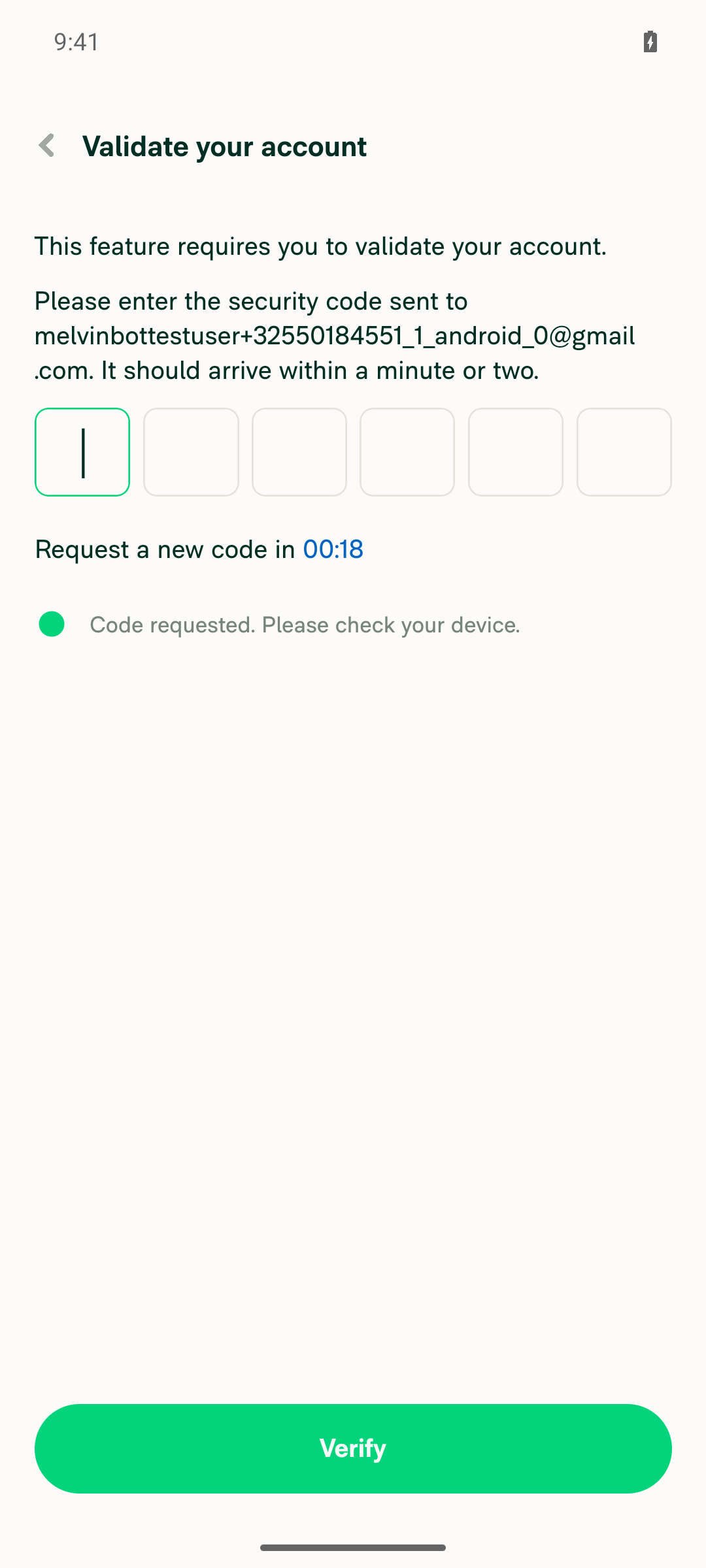
Enabling the Expensify Card feature only exposes an "Issue new card" entry point — no card program/fund exists, and the Settlement Frequency page reads card settings that aren't present until one does. Issuing a card requires adding a funding bank account, which lands on an email 6-digit magic-code validation screen. Melvin has no inbox access, so this is a hard blocker.

Test Case 2 — Currency conversion fees (Workspace → Workflows → Currency conversion fees)
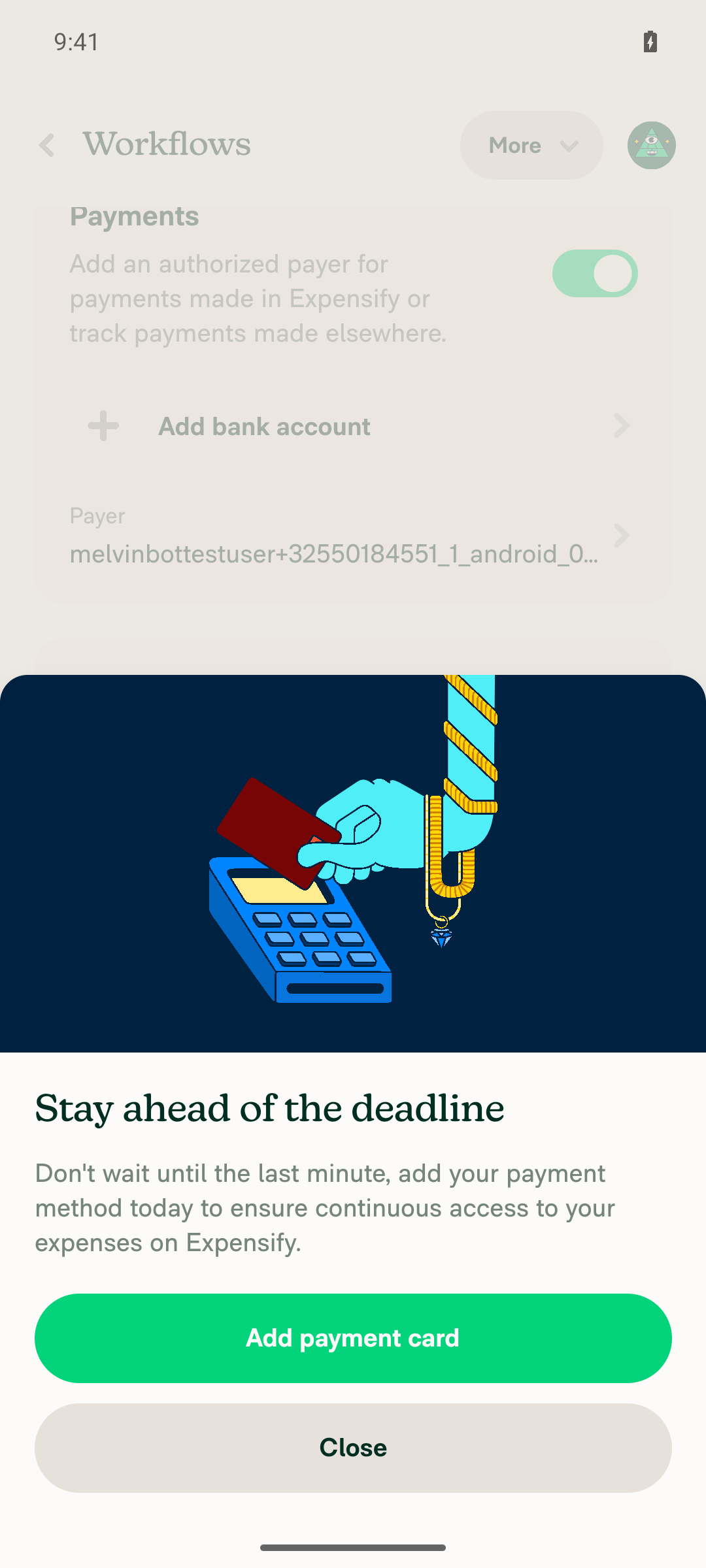
Workspace → Workflows → Payments shows no "Currency conversion fees" row. That row only renders when reimbursementChoice === REIMBURSEMENT_YES (needs a bank account → same magic-code blocker) and the globalReimbursements / globalReimbursementFX betas are granted — neither is available on this test account.

What I could verify (source review, not runtime): both pages correctly stage the selection in local state and gate the commit behind a Save button.

  • WorkspaceSettlementFrequencyPage.tsxconfirmButtonOptions.isDisabled = currentFrequency === selectedFrequency; onConfirm persists and does not navigate away (stays on page).
  • WorkspaceWorkflowsCurrencyConversionFeesPage.tsx — same disabled-until-changed gating; onConfirm persists then calls Navigation.goBack().

No JS console / red-box errors appeared during navigation.

Screenshots (blockers, not the test flow)

Blocking screens captured while trying to reach the pages are attached in the follow-up comment: the bank-account magic-code validation screen (blocks Test Case 1 and, indirectly, Test Case 2) and the Workflows → Payments section with no Currency conversion fees row.

Bottom line: the code changes look correct, but neither test case could be proven on Android in this environment because they require an active Expensify Card program (bank account + email magic code) and the Global Reimbursement FX betas. To get real device proof, this needs a pre-provisioned account with an Expensify Card program and the globalReimbursements/globalReimbursementFX betas enabled.


view run

@MelvinBot

Copy link
Copy Markdown
Contributor Author

🤖 Blocking screens captured while attempting the test cases:

Test Case 1 blocker — bank-account setup requires an email 6-digit magic code (Melvin has no inbox access)

Add-bank-account flow blocked by email magic-code validation screen, preventing Expensify Card program setup

Test Case 2 blocker — Workflows → Payments shows no "Currency conversion fees" row (reimbursement/betas not enabled)

Workspace Workflows Payments section with no Currency conversion fees row (reimbursement/beta not enabled)

@MelvinBot

Copy link
Copy Markdown
Contributor Author

🤖 I ran the testing steps on Web, but I could not execute either functional test case at runtime — both target pages are unreachable on the Melvin web test account, so I have no screenshots/recording proving the actual Save-button flow. This matches what I found on Android. Here's where each one blocked:

Test Case 1 — Settlement frequency (Workspace → Expensify Card → Settings → Settlement frequency)
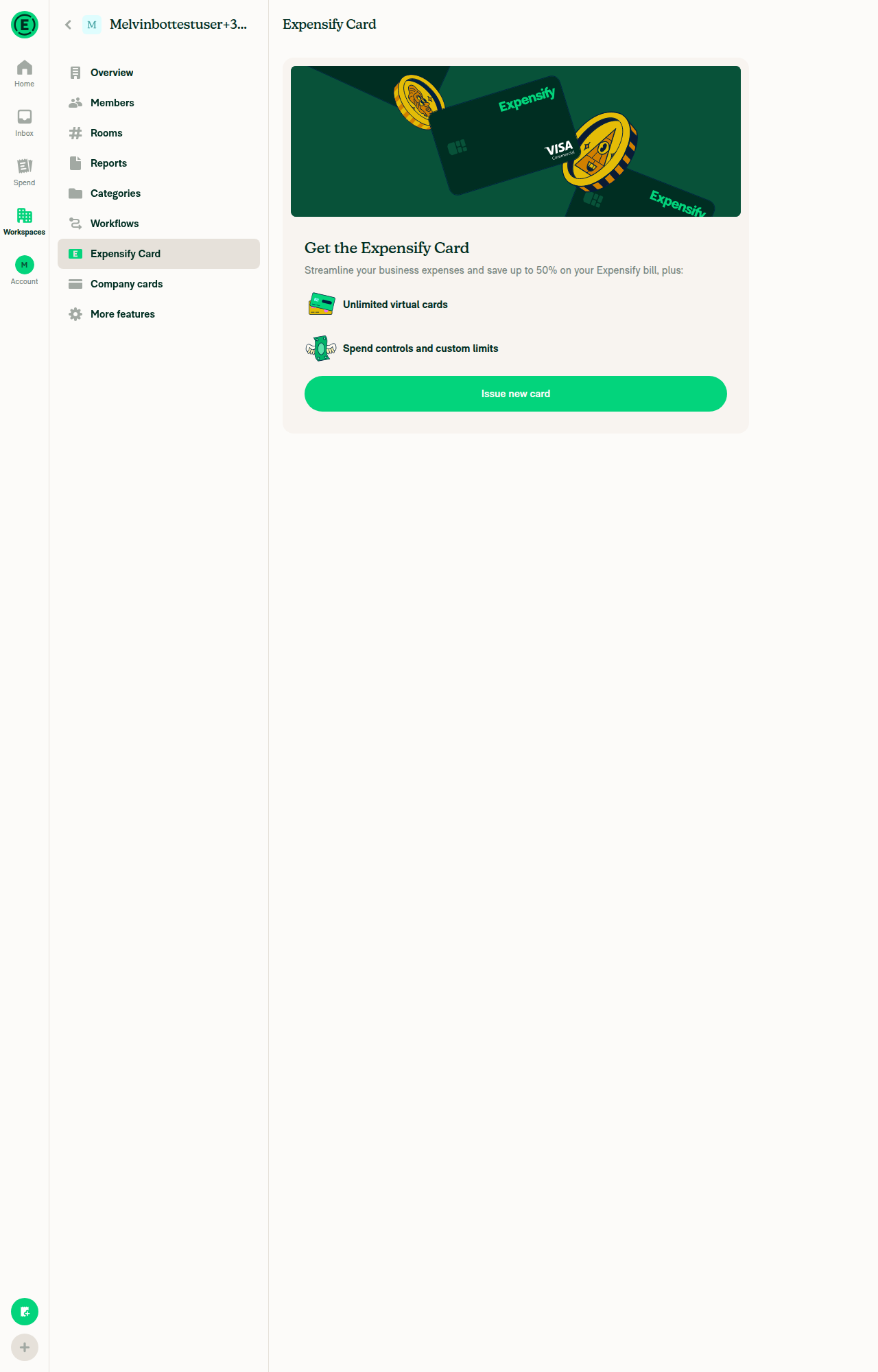
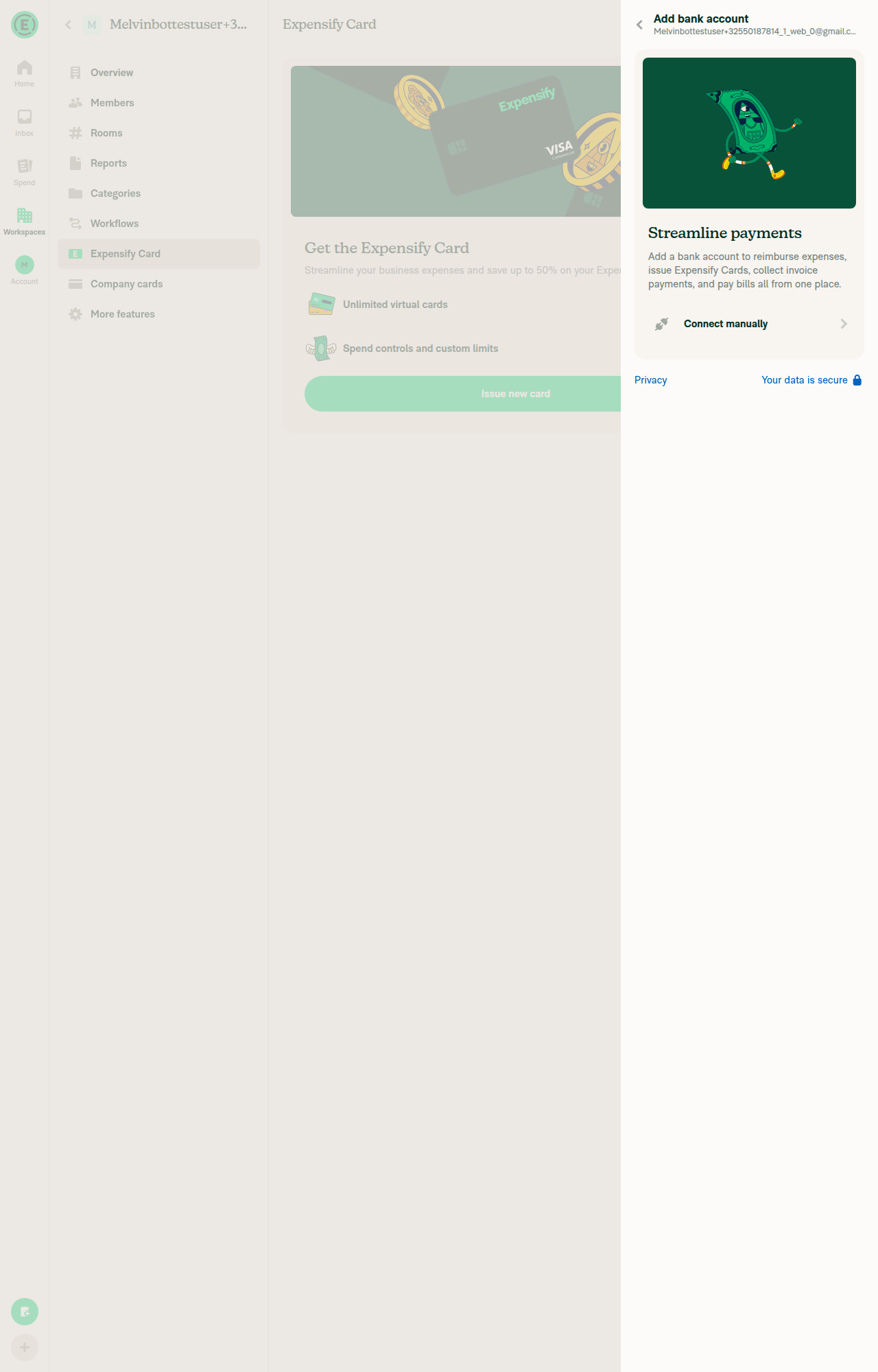
The fresh workspace has no Expensify Card program. Enabling the Expensify Card feature only shows a "Get the Expensify Card / Issue new card" promo — the Settings → Settlement frequency page doesn't exist until a card program does. "Issue new card" starts an underwriting check and then requires adding a real bank account (KYC/Plaid), which can't be completed in an automated test.

Test Case 2 — Currency conversion fees (Workspace → Workflows → Currency conversion fees)
Workspace → Workflows renders fine, but there's no "Currency conversion fees" entry point. Per useIsGlobalReimbursementFXEnabled, it requires the GLOBAL_REIMBURSEMENTS + GLOBAL_REIMBURSEMENT_FX betas and reimbursementChoice === REIMBURSEMENT_YES (a connected reimbursement bank account). Betas are server-granted and not enabled on this account.

What I could verify (source review, not runtime): both pages correctly stage the selection in local state and gate the commit behind a Save button.

  • WorkspaceSettlementFrequencyPage.tsxconfirmButtonOptions.isDisabled = currentFrequency === selectedFrequency; saveSettlementFrequency() persists and does not navigate away (stays on page).
  • WorkspaceWorkflowsCurrencyConversionFeesPage.tsx — same disabled-until-changed gating; saveCurrencyConversionFeesPreference() persists then calls Navigation.goBack().

No JS console errors / error banners appeared during navigation.

Screenshots (blockers, not the test flow)

Blocking screens are attached in the follow-up comment: the Expensify Card promo page (no Settlement frequency page yet), the bank-account KYC step that blocks issuing a card, and the Workflows page with no Currency conversion fees row.

Bottom line: the code changes look correct, but neither test case could be proven on Web in this environment for the same reason as Android — they require an active Expensify Card program (bank account + KYC) and the Global Reimbursement FX betas. To get real proof, this needs a pre-provisioned account with an Expensify Card program and the globalReimbursements/globalReimbursementFX betas enabled.


view run

@MelvinBot

Copy link
Copy Markdown
Contributor Author

🤖 Blocking screens captured while attempting the test cases on Web:

Test Case 1 blocker — Expensify Card page shows only the "Get the Expensify Card" promo (no Settlement frequency page until a card program exists)

Expensify Card page showing Get the Expensify Card promo instead of Settings/Settlement frequency

Test Case 1 blocker — Issuing a card requires adding a real bank account (KYC), not completable in an automated test

Add bank account KYC step required before a card program can be issued

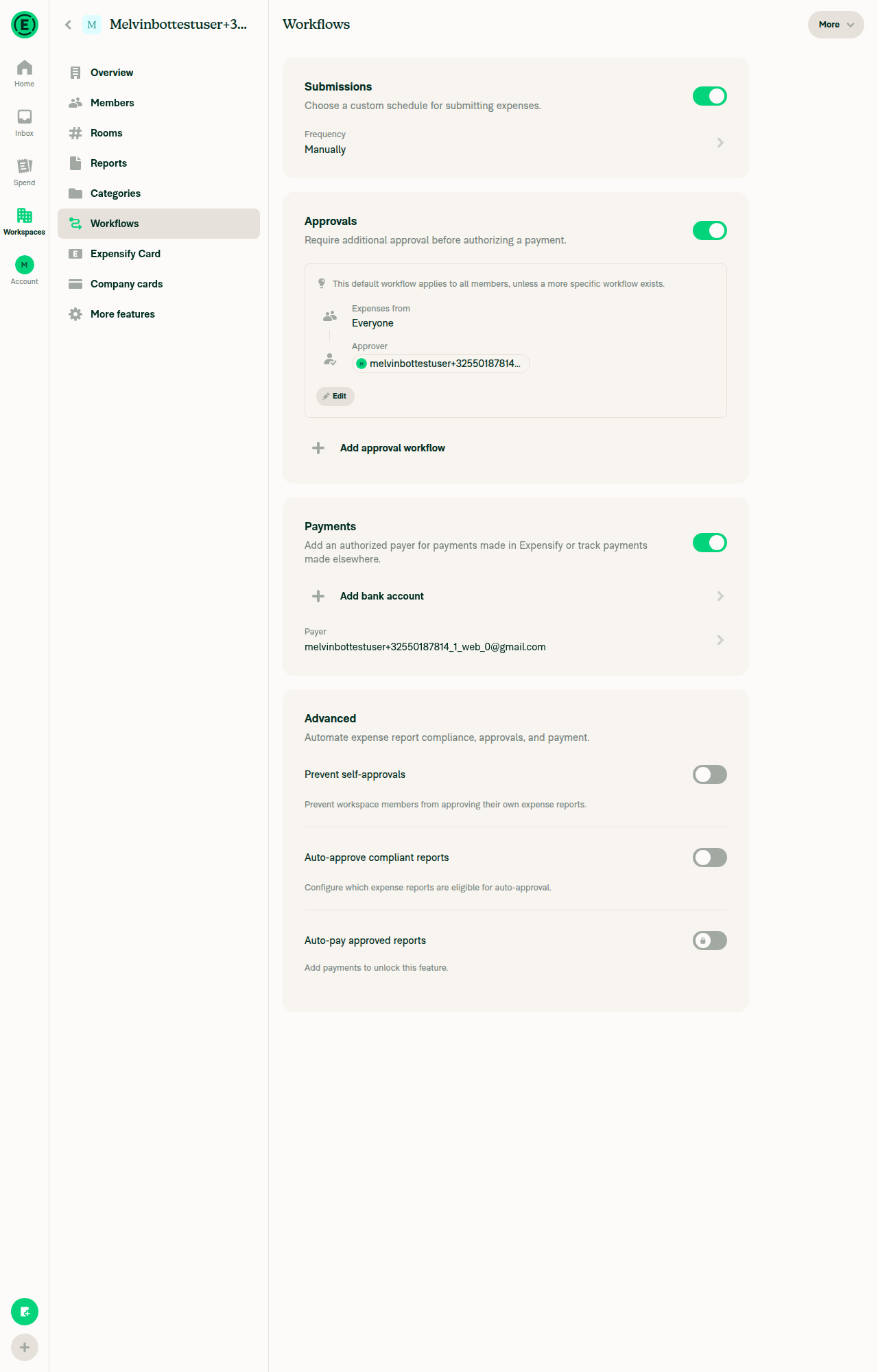
Test Case 2 blocker — Workspace → Workflows has no "Currency conversion fees" entry point (betas + reimbursement bank account not enabled)

Workspace Workflows page with no Currency conversion fees entry point

@truph01

truph01 commented Aug 22, 2026

Copy link
Copy Markdown
Contributor

@MelvinBot Mark this PR as ready

@MelvinBot
MelvinBot marked this pull request as ready for review August 22, 2026 05:10
@MelvinBot
MelvinBot requested a review from a team as a code owner August 22, 2026 05:10
@melvin-bot
melvin-bot Bot requested review from truph01 and removed request for a team August 22, 2026 05:10
@melvin-bot

melvin-bot Bot commented Aug 22, 2026

Copy link
Copy Markdown

@truph01 Please copy/paste the Reviewer Checklist from here into a new comment on this PR and complete it. If you have the K2 extension, you can simply click: [this button]

@melvin-bot
melvin-bot Bot requested review from flaviadefaria and removed request for a team August 22, 2026 05:10
@MelvinBot

Copy link
Copy Markdown
Contributor Author

🤖 Done — this PR is now marked Ready for review.


view run

Sign up for free to join this conversation on GitHub. Already have an account? Sign in to comment

Labels

Melvin-Test-Android Melvin-Test-Web Triggers Melvin to run the testing steps of the PR on web

Projects

None yet

Development

Successfully merging this pull request may close these issues.

2 participants