


For Python developers who want to know if their code got slower or greener — without guessing. EcoCode profiles CPU, memory, and estimated energy per run, catches regressions against a baseline, and tells you which files to optimize first. Runs fully offline, no account, no API key.
Prefer a GUI? EcoCode Insights brings the same engine into VS Code as inline diagnostics and a dashboard.
Inline optimization suggestions (squiggles + code actions), a workspace dashboard, and honest "measured vs estimated" labels — so a number is never mistaken for a guess.
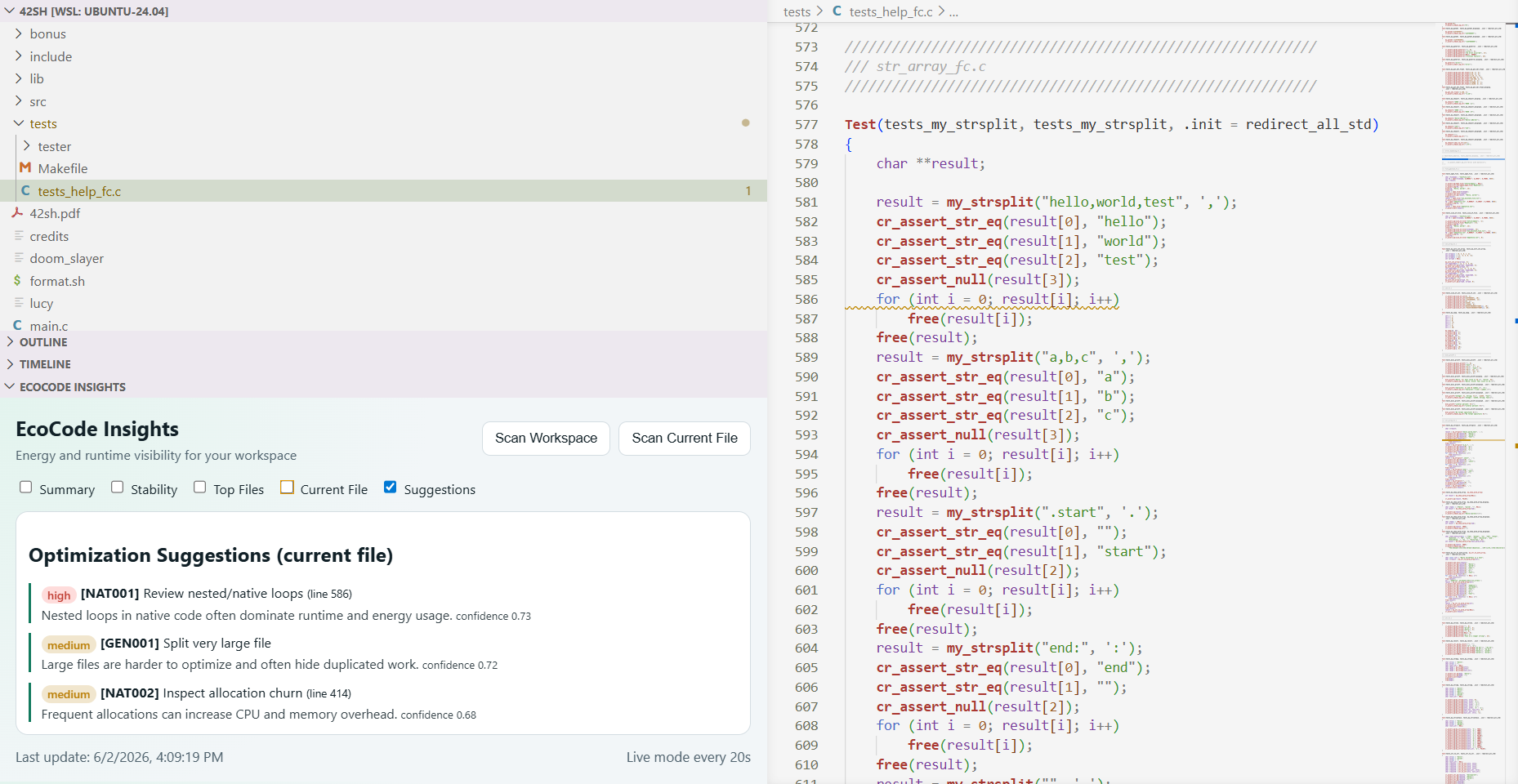 Inline squiggles flag energy-costly patterns as you type, with one-click fixes.
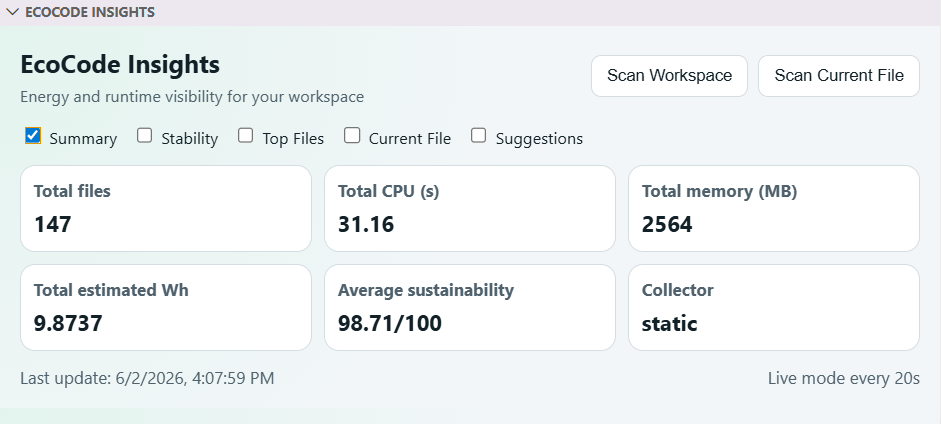 Whole-repo view: total estimated energy, trend, and where it's going.
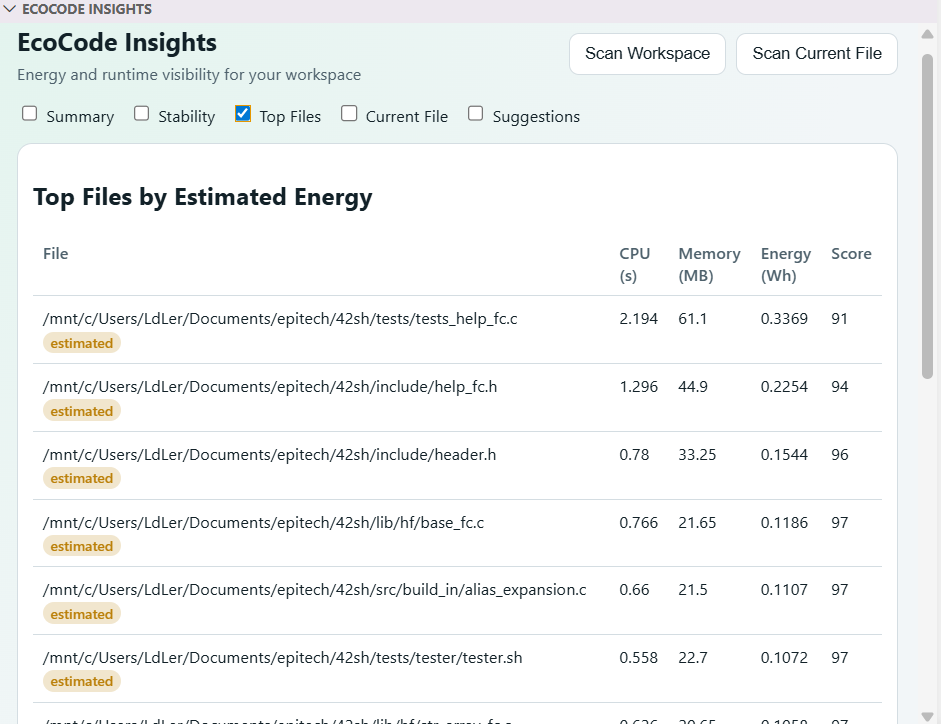 Worst offenders ranked first, each tagged
 measured or estimated — never blended.
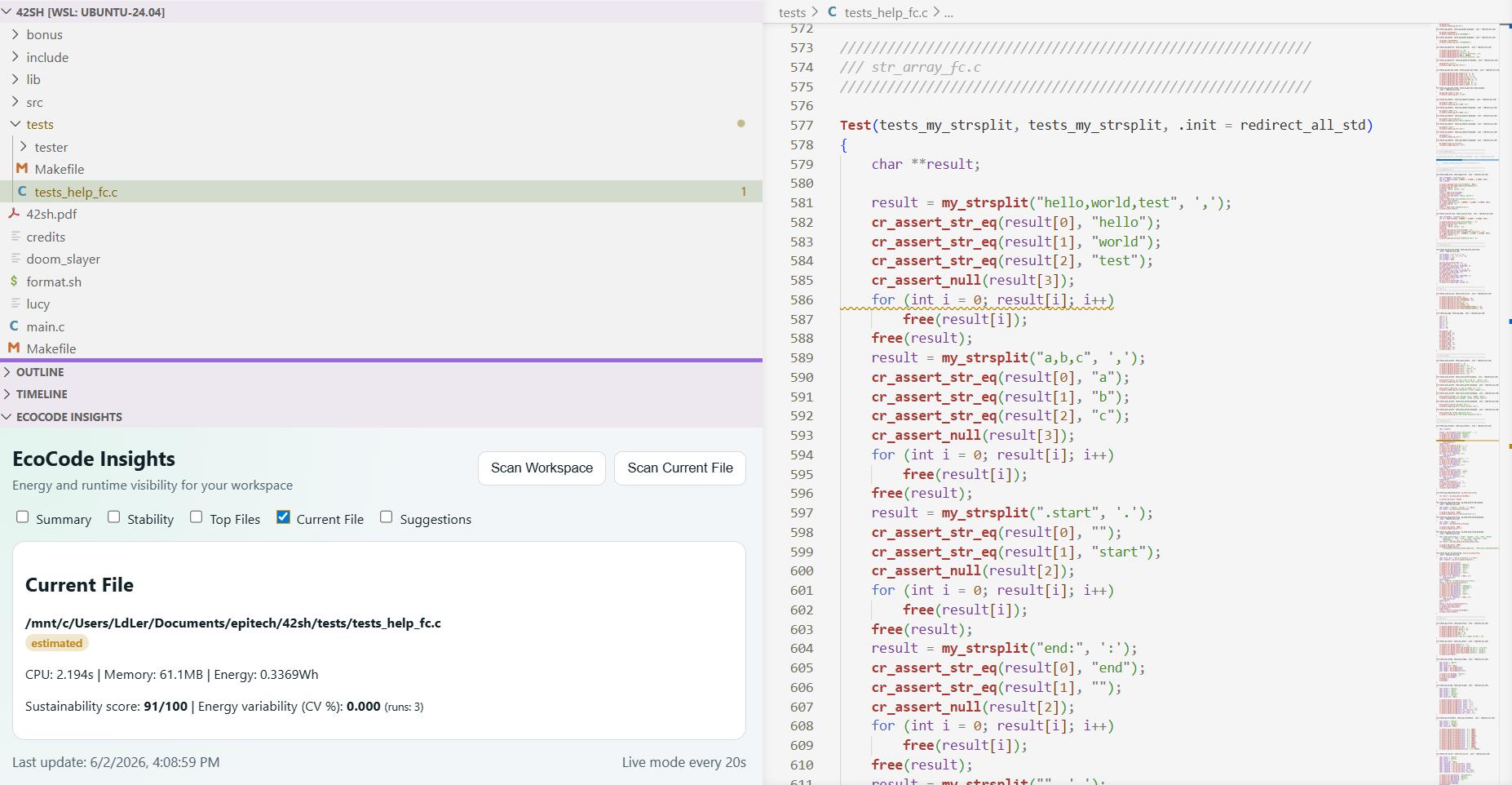 Per-file CPU, memory, and energy, updated as you edit.
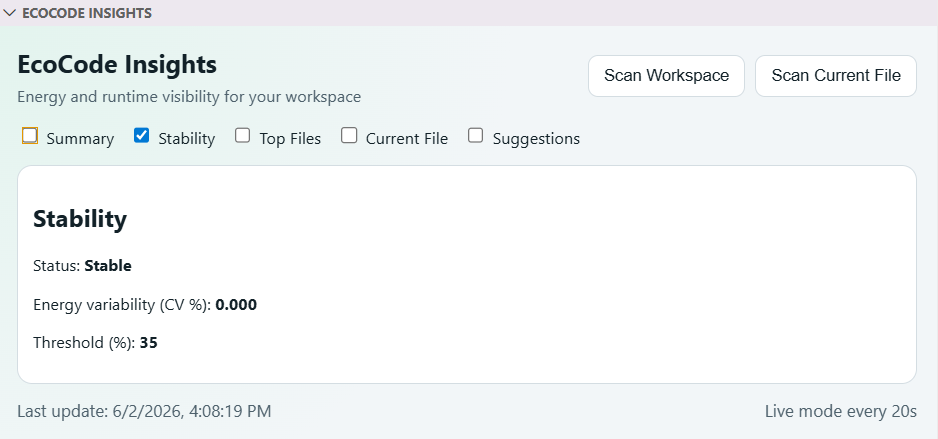 Run-to-run variance (CV%), so you know when a measurement is trustworthy enough to gate a PR on.
pipx install ecocode-clipipx installs the ecocode command on your PATH in an isolated environment (Python 3.10+). No pipx yet? sudo apt install pipx (Debian/Ubuntu) or python3 -m pip install --user pipx, then pipx ensurepath. Alternatively, install into a virtual environment: python3 -m venv .venv && .venv/bin/pip install ecocode-cli.
On Debian/Ubuntu/WSL, a plain
pip installinto the system Python is blocked by PEP 668 — use pipx or a venv.
A few examples:
ecocode profile path/to/script.py            # profile a single file
ecocode profile-repo --root .                # scan a whole repository
ecocode optimize suggest path/to/script.py   # optimization suggestions
Output of ecocode profile:
EcoCode profile report
Script:               /workspace/path/to/script.py
CPU time (s):         1.84
Memory peak (MB):     76.2
Estimated energy Wh:  0.357
Sustainability score: 90/100
EcoCode helps answer very practical questions:
- Is this script consuming more than before?
- Is a PR degrading performance and energy usage?
- Which files or code areas are the most expensive?
- Which optimizations should be prioritized first?
In practice, the CLI already lets you:
- profile a script (CPU, memory, estimated energy),
- create a baseline and compare future runs,
- scan an entire repository,
- track trends over time,
- generate optimization suggestions,
- export results for CI tooling (JSON/SARIF).
The project makes an often invisible topic visible: the runtime cost of software.
In a team workflow, this makes it easier to:
- compare changes with real numbers instead of guesswork,
- catch energy regressions before they reach production,
- add energy checks to CI the same way we already gate tests and linting,
- improve performance and reliability without losing sight of sustainability.
- Measured, not just estimated. Every result is labelled
measuredorestimated(viastatic_estimate/placeholder), so a real runtime sample is never confused with a guess. - Offline-first. Profiling and rule-based suggestions run entirely on your machine — no account, no API key, no code leaving your laptop.
- Multi-language repo audits.
profile-repocovers Python, C/C++, C#, Rust, JS/TS, HTML/CSS, and Assembly, not just Python scripts. - CI-native. JSON and SARIF exports plug into the same gates you already use for tests and linting — see docs/ROADMAP.md for what's shipped and what's next.
EcoCode works fully offline with deterministic, rule-based suggestions — no API key needed. AI-powered suggestions are opt-in, configured in ecocode.toml:
- Local (Ollama): a model runs on your machine; your code never leaves it; no key. The endpoint is configurable via
ECOCODE_OLLAMA_BASE_URL(HTTP or HTTPS). - Remote (Anthropic): higher quality, but your source is sent to the API, so it needs your own key via the
ECOCODE_LLM_API_KEYenvironment variable. The key is read only from the environment — never stored inecocode.toml, VS Code settings, or the repository.
export ECOCODE_LLM_API_KEY="sk-ant-..." # only needed for the remote providerIf you want full details (commands, outputs, examples, roadmap, etc.), see the complete project documentation:
Found a bug, have an idea, or want to pick up a roadmap item? Open an issue or a PR — see CONTRIBUTING.md for setup, the local quality gate, and the branch/commit conventions. docs/ROADMAP.md lists what's next if you want a concrete starting point.