You signed in with another tab or window. Reload to refresh your session.You signed out in another tab or window. Reload to refresh your session.You switched accounts on another tab or window. Reload to refresh your session.Dismiss alert
Daniel Wilson edited this page Apr 21, 2016
·
7 revisions
Here are few screenshots of the two-factor setup (both OTP and U2F) by various providers:
Google
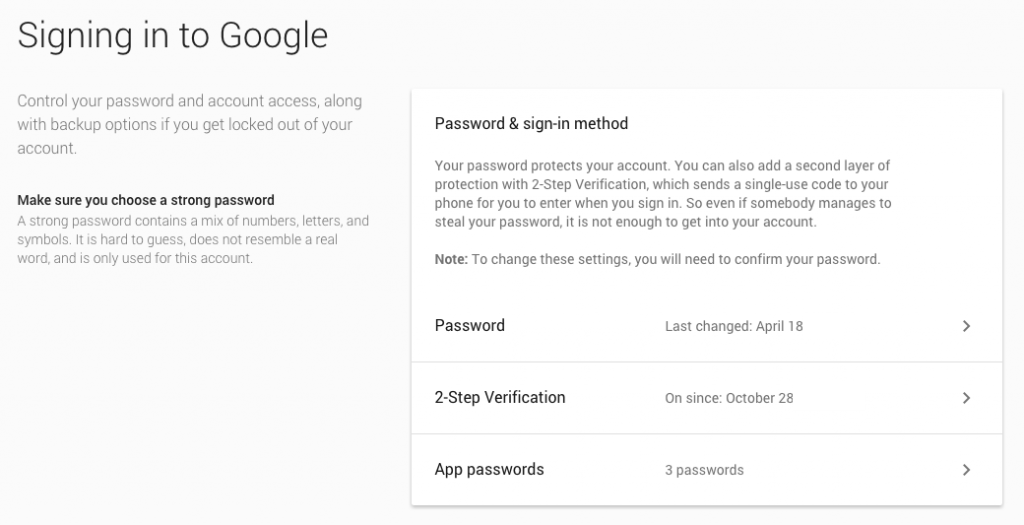
Sign-in Overview
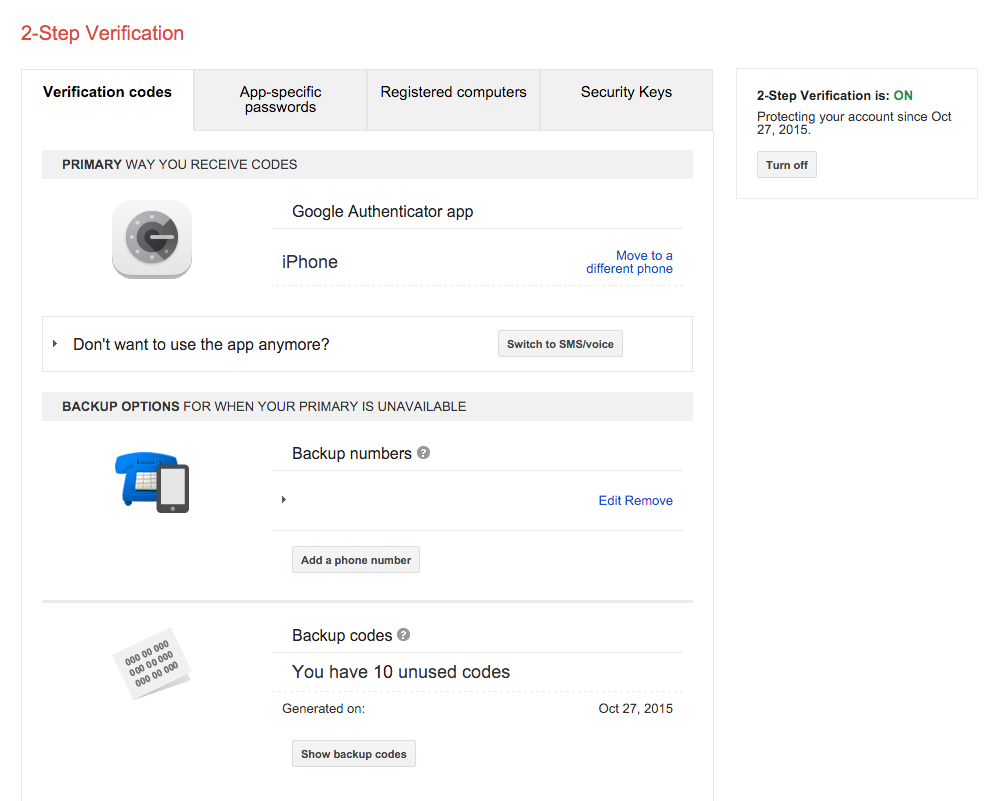
OTP Overview
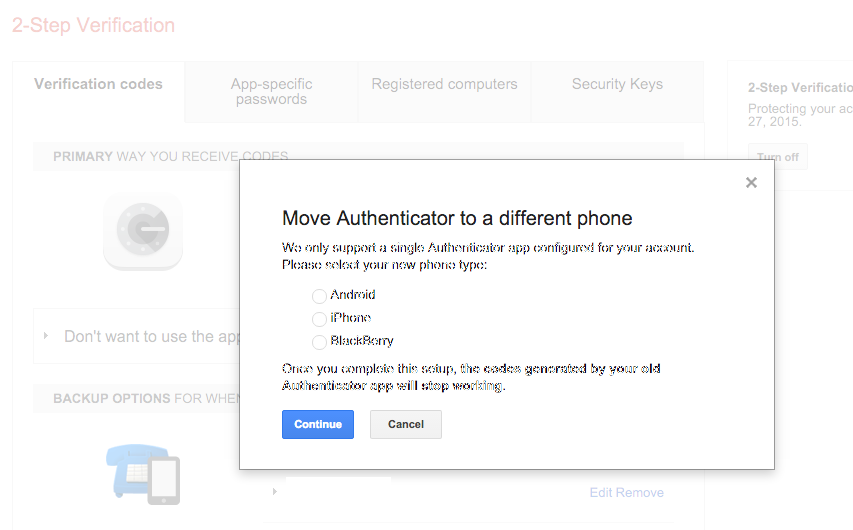
OTP Reset or Move
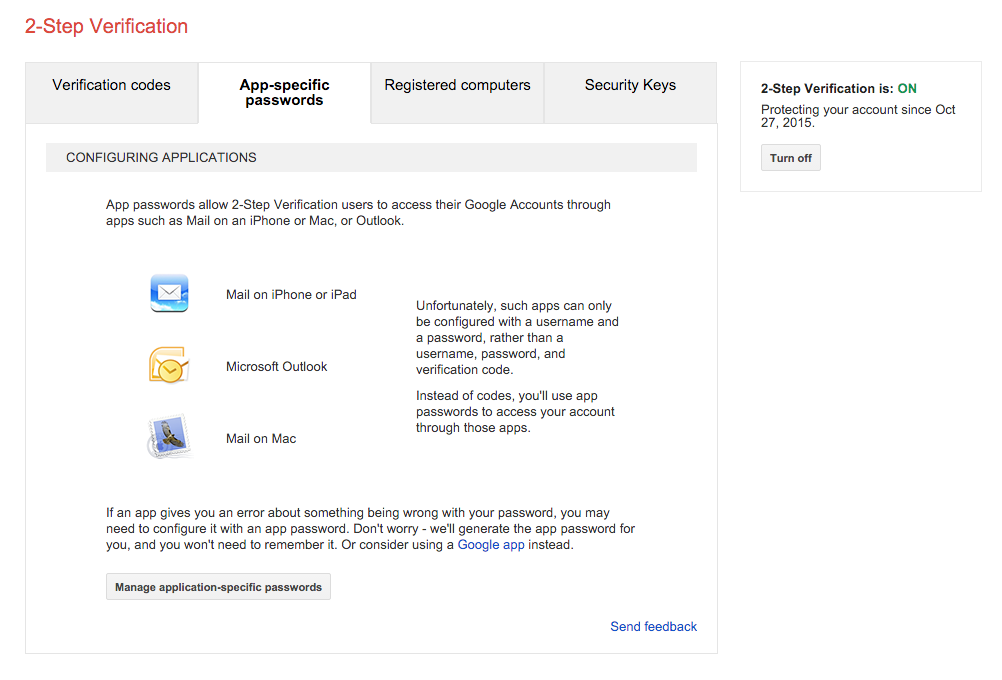
App Password Overview
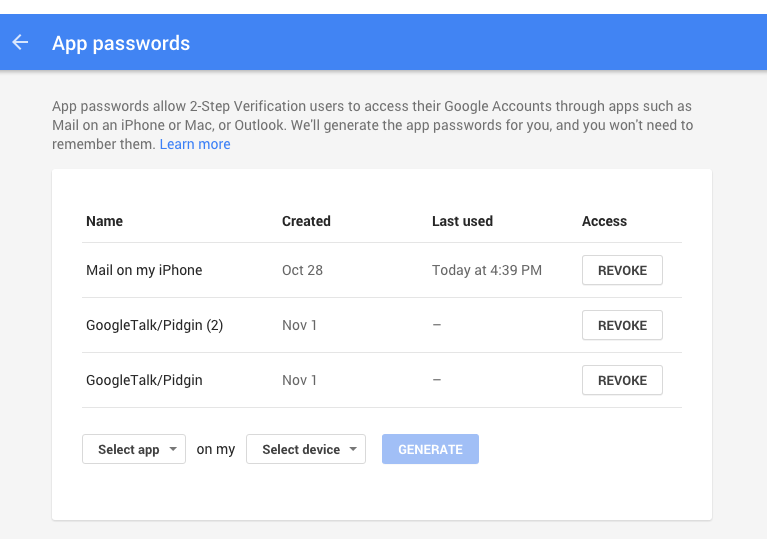
App Password List
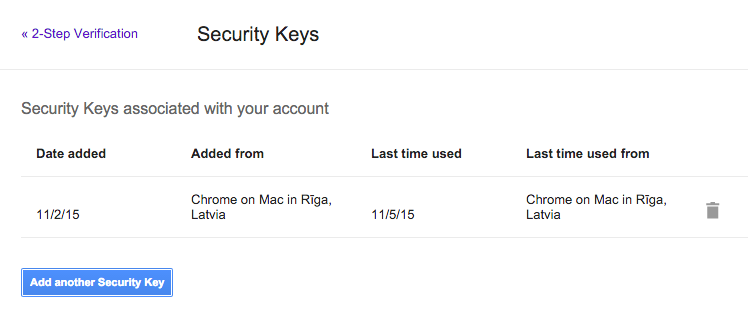
U2F Key Overview
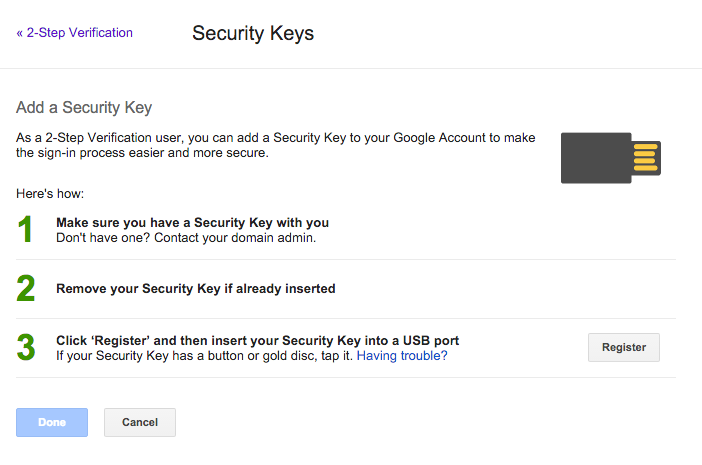
U2F Add Key
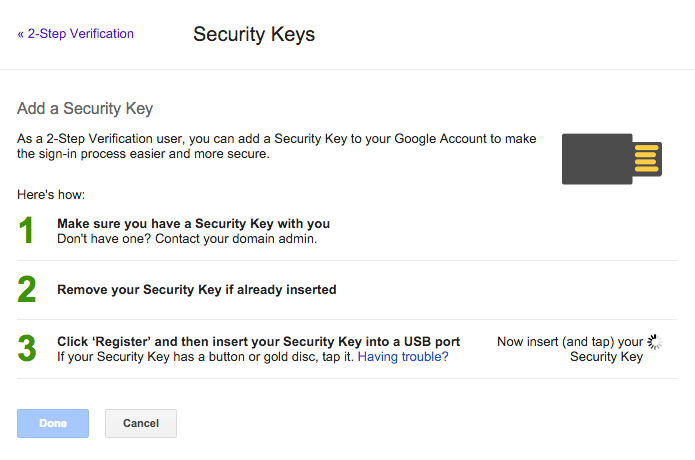
U2F Add Key in Progress
GitHub
Two-Factor Overview
U2F Add Key
U2F Add Key - In Progress
Login - Username & Password
Login - U2F
Dropbox
Account Security Overview
U2F Add Key - Confirm Password (Step 1)
U2F Add Key - Information (Step 2)
U2F Add Key - Insert Key (Step 3)
U2F Add Key - In Progress (Step 4)
Login - Username & Password
Login - U2F
Mobile Authentication
When services request FIDO U2F authentication on mobile, the following screen is displayed on Android; allowing the user to utilise an NFC-capable U2F Security Key.