Give your AI coding agent the right context for every project — and nothing else.
cue is a profile manager for AI coding agents like Claude Code and Codex. You pick (or auto-detect) a cuecard for each project directory, and when you launch your agent, cue loads only the skills, MCP servers, persona, and quality gates that project actually needs — instead of your entire library.
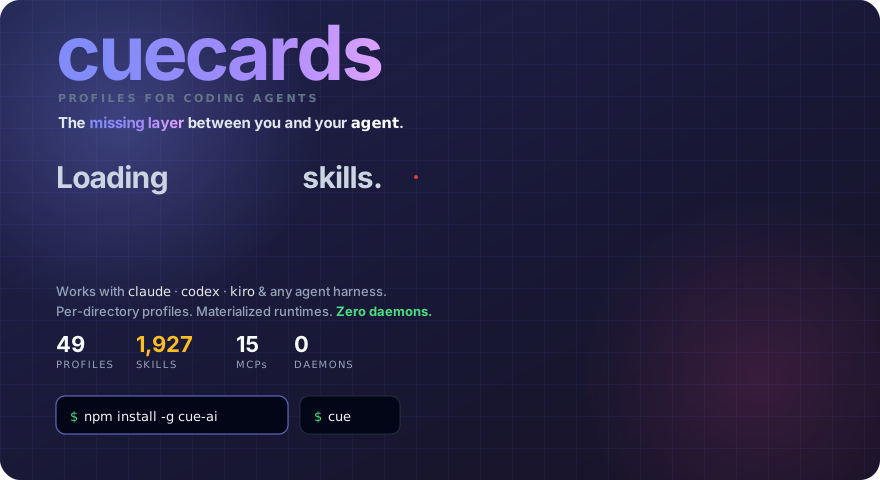


npm install -g cue-aiRequires Node ≥ 20 and an existing Claude Code or Codex install. cue is a thin shim that hands off to your real agent — not a replacement for it.
package
cue-ai· commandcue· repo opencue/cuecards
If you've been using AI coding agents for a while, you've probably collected a pile of skills, MCP servers, and custom instructions. Maybe hundreds. Here's the problem:
your agent re-reads all of them, on every single message — including the 95% that have nothing to do with the task in front of it.
That hurts twice:
- You pay for it. Every always-loaded skill description and MCP schema is input tokens, billed on every turn of every session.
- Your agent gets dumber. Picking the right tool out of 330 irrelevant ones is harder than picking it out of 12 relevant ones.
cue fixes this by scoping everything per directory. Your Medusa shop loads the Medusa cuecard. Your Rust CLI loads the Rust cuecard. Nothing else comes along for the ride.
| Loadout | Always-on context | Cost / 100 msgs (Sonnet input) |
|---|---|---|
Everything loaded (full profile) |
~81k tokens | ~$24 |
backend cuecard |
~9k tokens | ~$2.70 |
caveman-quick cuecard |
~6.8k tokens | ~$2.00 |
That's 9–16× less always-on context, compounding on every message. You can reproduce these numbers yourself:
cue cost              # token budget for your active profile
cue cost --compare # every profile ranked against the `full` baselineA cuecard (also called a profile) is everything your agent needs to be useful in one project, bundled into a single profile.yaml:
| Layer | What it controls |
|---|---|
| Skills | Only the ones this project actually needs |
| MCP servers | Scoped per directory — no global sprawl |
| Plugins | The Claude Code plugins this project wants, no more |
| Persona | How the agent thinks, writes, and self-edits |
| Playbooks | Step-by-step procedures for known tasks |
| Gates | What must pass before the agent can claim "done" |
One cuecard per project. Your agent reads the right one the moment you launch it. That's what makes a cuecard more than a skills list — it's composable expertise, not just "more tools loaded."
Five commands from zero to a profile-aware agent:
npm install -g cue-ai                     # 1. install
cue shell install                         # 2. activate the claude shim (one-time; add --codex for codex)
cue discover search "code review"         # 3. find a skill you want
cue discover install review/code-review   # 4. add it to your cuecard
claude                                    # 5. launch — your cuecard is loaded
Step 2 is the magic: it installs a tiny ~/.local/bin/claude shim that hands off to cue launch. From then on, typing claude in any directory loads that directory's cuecard first, then starts the real Claude Code. Skip step 2 and claude just runs vanilla.
To pin a project to a profile:
cd ~/projects/my-shop
cue use medusa-dev      # writes .cue.profile in this directory
claude                  # launches with the medusa-dev loadout
Not sure which profile fits? cue auto-detect reads your project (package.json, pyproject.toml, Cargo.toml, …) and suggests one.
cue ships with pre-built profiles for common stacks and workflows. A taste:
| Profile | What it's for |
|---|---|
| 🐢 core | Minimal baseline shared by every profile |
| 🐻 backend | APIs, webhooks, security review, CI, databases, deploys |
| 🦋 frontend | UI implementation, redesigns, screenshots, browser testing |
| ▲ nextjs | Next.js App Router, Server Components, Vercel |
| 🐍 python | FastAPI/Django/Flask, SQLAlchemy, pytest |
| 🦀 rust | Async, web, CLI/TUI, embedded, FFI, WASM |
| 🦊 medusa-dev | Medusa v2 backend, storefront, admin |
| 🔒 cybersecurity | 754 red/blue-team skills + audit tooling |
| 🦜 marketing | Copywriting, SEO, CRO, growth |
| 🐝 docs-writer | Documentation, Markdown, PDF, structured writing |
| 🏢 agency | 63 delegatable subagents — design, sales, product, PM, QA |
cue list           # see all 69
cue auto-detect    # suggest the right one for the current directory
cue use <name>     # pin it
Full machine-readable catalog: docs/data/profiles.md. Nothing fits? cue ai "describe your stack" scaffolds a new one.
The same profile.yaml materializes into each agent's native config format — write your setup once, use it everywhere:
| Agent | Output |
|---|---|
| Claude Code / Codex | runtime dirs under ~/.config/cue/runtime/ (via the shim) |
| Cursor | .cursorrules + .cursor/mcp.json |
| Cline | .clinerules + cline_mcp_settings.json |
| Gemini CLI | ~/.gemini/skills/*.md |
| GitHub Copilot | .github/copilot-instructions.md |
| Windsurf | .windsurfrules + .windsurf/mcp.json |
| Roo Code | .roo/rules/*.md + .roo/mcp.json |
| Sourcegraph Amp | AGENTS.md + .amp/mcp.json |
| Aider | .aider.conventions.md |
cue materialize cursor --profile backend   # one agent
cue materialize --all --profile backend # all ten at oncecuecards don't just load tools — they hold your agent to a standard.
The reviewer gate. Profiles can enable an independent review gate: when the agent finishes a code-producing turn, cue spawns a fresh, separate reviewer agent over the diff before the turn is allowed to finish. A real catch from a live session: the reviewer flagged a unit bug where a product's weight was kilograms in one place and grams in two others — left in, carts would have displayed 20000 kg. The gate held the merge until it was fixed.
Enable it with touch ~/.config/cue/auto-review-enabled, watch reviews live with cue-review-watch, and skip one turn with [skip-auto-review]. Details: docs/review-visibility.md.
Confidence tags. cue-managed agents tag research- and decision-relevant claims with colored confidence markers so you can scan trust at a glance:
| Tier | Tags | Meaning |
|---|---|---|
| 🟢 | [VERIFIED] [KNOWN] |
Checked firsthand / well-documented fact |
| 🟡 | [INFERRED] [ASSUMED] |
Deduced or assumed — verify if stakes matter |
| 🟠 | [GUESSED] [STALE] |
Pattern-match or possibly outdated — verify first |
| 🔴 | [UNKNOWN] |
The agent said "I don't know" instead of making it up |
# Profiles
cue use <profile>            # pin a profile to this directory
cue list                     # all available profiles
cue auto-detect              # suggest one for the current project

# Cost
cue cost                     # token budget for the active profile
cue cost --compare           # all profiles ranked vs `full`

# Skills & discovery
cue discover search <query>  # find skills on GitHub
cue discover install <skill> # install one
cue lint-skill <path> --fix  # validate a SKILL.md

# Health
cue doctor --fix             # diff declared vs actual state, auto-repair
cue optimizer                # dashboard: skills, MCPs, CLIs, usage per profile
cue failures --propose       # let Claude draft profile improvements from failures
cue --help shows the full ~50-subcommand surface; the set above covers a typical week.
| Path | Command |
|---|---|
| npm (recommended) | npm install -g cue-ai |
| One-line script | curl -fsSL https://raw.githubusercontent.com/opencue/cuecards/main/get.sh | bash |
| Manual clone | git clone https://github.com/opencue/cuecards.git && ./cuecards/install.sh |
| Guided (paste into Claude Code) | setup/macos.md · setup/linux.md · setup/windows.md |
All paths are idempotent — safe to re-run. install.sh --help lists --yes, --codex, --uninstall.
Does this break Claude Code's auto-update?
No. cue never touches the claude binary — it intercepts the call via a one-line bash shim in ~/.local/bin/claude, sets CLAUDE_CONFIG_DIR, and execs the real binary. Updates work exactly as before.
Is this a daemon?
No. Pure CLI. When you type claude, the shim runs cue launch, compares a sha256, materializes only if something changed, then execs. Nothing stays resident.
How much overhead does it add?
Cold start 50–200 ms; warm start under 5 ms. Imperceptible next to your agent's own startup.
Does cue send telemetry?
No. Everything cue computes — including the per-skill usage bars in cue optimizer — reads from your local transcript files. Nothing leaves your machine.
What does cue NOT do?
- It doesn't modify or repackage the Claude Code / Codex binaries.
- It doesn't host a remote marketplace — skills live in your repo or come from open source.
- It doesn't coordinate multi-agent runs (that's colony + gitguardex, layered on top via the parallel-agents tier).
| cuecards | skillport / agent-skills-cli | Kiro Powers | |
|---|---|---|---|
| Skills | ✅ | ✅ | ✅ |
| MCPs | ✅ | — | ✅ |
| Plugins | ✅ | — | — |
| Per-directory profiles | ✅ | — | ◐ (IDE-only) |
| Inheritance | ✅ | — | — |
| Persona / playbooks / gates | ✅ | — | — |
| Multi-agent (Cursor/Cline/Copilot/…) | ✅ (10) | Claude only | IDE-only |
| Failure-feedback loop | ✅ | — | — |
| Daemon required | none | none | IDE process |
| Topic | Read |
|---|---|
| Launch flow (resolve → materialize → exec) | docs/launch.md |
| Full profile catalog | docs/data/profiles.md |
| Bootstrap contract for AI agents installing cue | AGENTS.md |
| Parallel agents tier (Colony + gitguardex) | setup/parallel-agents.md |
| Confidence-tag system | integrity-tags/SKILL.md |
git clone https://github.com/opencue/cuecards.git
cd cuecards && bun install
bun test                          # tests (lib + commands)
bun run src/index.ts --help # run locally| Want to | Run |
|---|---|
| Add a skill | cue skills-new <name>, then edit resources/skills/skills/<category>/<name>/SKILL.md |
| Add a profile | cue new <name>, then cue validate <name> |
| Share your profile | cue share publish --profile <name> |
| Report a bug | Open an issue |
License: MIT · zero telemetry · no daemon